
Restaurant POS System Guide 2027: How to Choose and Run One
Wondering how to choose a restaurant POS system in 2027? Get plain answers on tables, kitchen tickets, billing, PCI security, cloud vs local, cost and training.
By Biz E-Agency Inc. TeamUpdated 22 min read
Quick answer: The best restaurant POS system for you is the one that handles table orders, kitchen tickets, fast billing, safe card payments and honest daily reports with your real menu and your real busy hour. Test it with a trial before you pay, and confirm every cost in writing. This guide shows you how to do that in 2027.
A restaurant POS system is the point where orders, kitchen work, payments and daily numbers meet. Choose well and service runs smoothly. Choose badly and every busy Friday exposes the gaps. Below, I answer the questions owners ask most, in plain language, so you know what to check before you buy in 2027.
What is a restaurant POS system?
A restaurant POS (point of sale) system is software and hardware that takes orders, sends tickets to the kitchen, prints bills, accepts payments and records sales. Better systems also track stock and produce daily reports.
Years ago a POS meant a cash drawer and a receipt printer. Today it is the working centre of your restaurant. It takes the order, tells the kitchen what to cook, prints the bill and records everything for your accountant.
What jobs must it do every day?
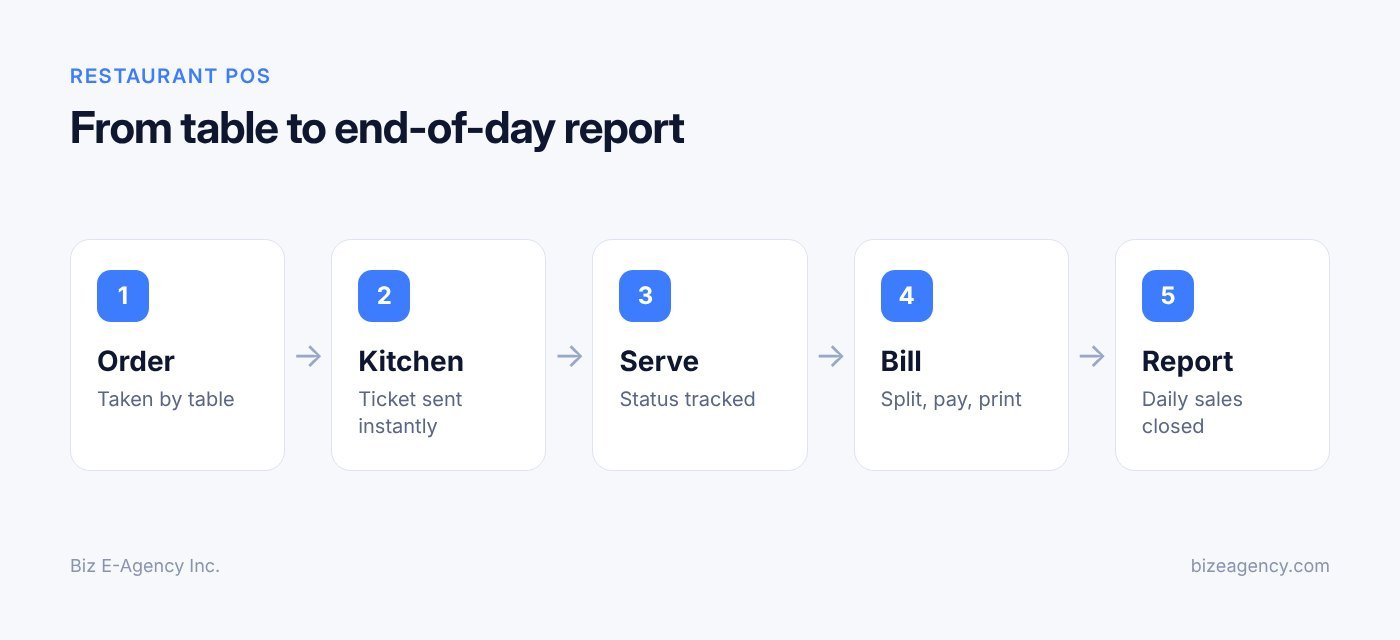
Before you compare brands, write down the jobs you need done. A good list has five parts:
- Take orders by table, counter, takeaway or delivery.
- Send each item to the right kitchen station.
- Split, merge and close bills quickly.
- Take cash, card and wallet payments safely.
- Show you what sold, what it cost and what is left in stock.
Everything else is a bonus. If a system does these five jobs well, your staff will use it. If it does them badly, staff will find workarounds on paper, and your data stops being reliable.
How does your service style change the answer?
A 12-table cafe, a busy fast-food counter and a 120-seat family restaurant need different things. Table service needs seat numbers, courses and bill splitting. Counter service needs speed and a clear order number. Delivery needs address capture and rider tracking.
Be honest about your peak hour, not your average hour. A system that works at 3 pm on a Tuesday may freeze at 8 pm on a Saturday. Ask every vendor to show you a busy-service scenario, not a quiet demo.
What should you count before you talk to vendors?
Count your tables, terminals, kitchen printers or screens, and the number of staff logging in. Note whether you have more than one branch. Note whether you sell through a website or delivery apps. These numbers decide the licence type and the hardware list.
How should a restaurant POS handle tables and orders?
It should show every table and its status, let any waiter open a table and add items, and keep every order attached to the right guest and bill. If this part is slow or confusing, nothing else matters.
Your waiters touch this screen hundreds of times a day. A solid system shows a floor plan with each table marked free, occupied, bill printed or paid. A waiter taps a table, adds items, and the order is saved. Anyone on the team can open the table later and see exactly what was ordered.
Which floor features matter most?
Look for these:
- A floor plan you can edit to match your real room, including outdoor and private areas.
- Seat numbers, so items can be assigned to a guest and split later.
- Modifiers and notes, such as "no onion", "extra spicy" or "allergy: nuts".
- Course control, so starters fire first and mains wait until you say go.
- Table transfer and merge, for guests who move or groups who join.
- Hold and fire, for items you want to prepare later.
Allergy notes deserve special attention. A note must travel to the kitchen ticket in a visible place, not hide at the bottom of the screen. The US FDA publishes the FDA Food Code, which regulators use as a model for retail food safety. Your local rules may differ, but a clear allergy flow in your POS supports good practice.
Can one system handle dine-in, takeaway and delivery?
It should. Dine-in, takeaway, delivery and pickup each need different fields. Takeaway needs a customer name or number. Delivery needs an address, a phone number and a delivery fee. Your restaurant POS system should let one menu serve all of them, with different prices or taxes per order type if you need them.
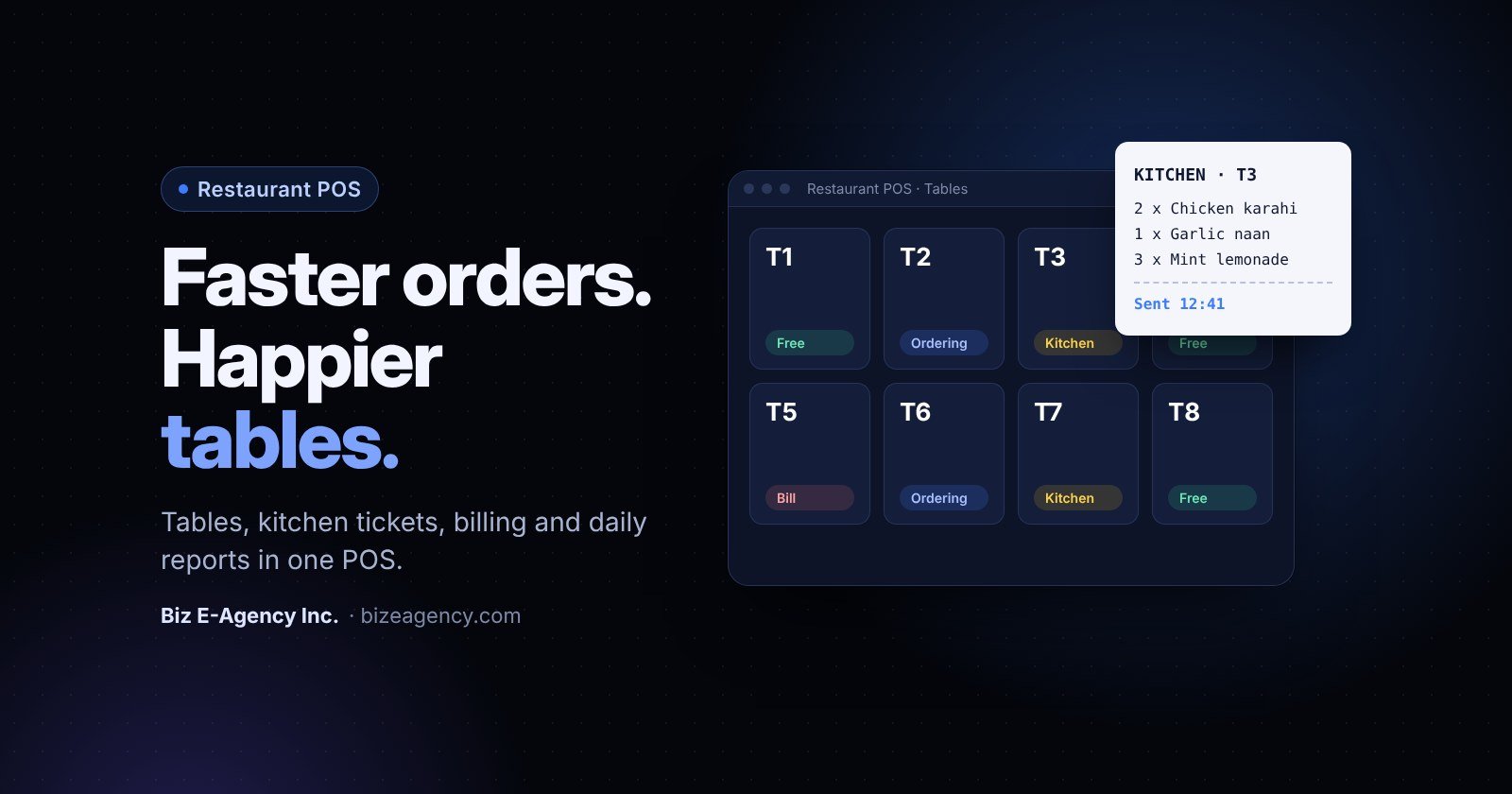
Biz E-Agency's Restaurant POS handles orders by table, so each order stays attached to the right guest and the right bill. Waiters can reopen a table, add items and close it without retyping anything.
How do you stop voids and discounts from leaking money?
Every restaurant loses money to errors, comps and, sometimes, theft. Set permission levels so a waiter can add items but only a manager can void a printed item or give a discount. Require a reason for each void. The log then gives you a weekly review list instead of a mystery.
How do kitchen tickets and a kitchen display system work?
When a waiter sends an order, it prints at a kitchen printer or appears on a kitchen display system (KDS) screen within seconds. Digital tickets always read the same way, so they do not get lost or misread like handwritten chits.
This is where a POS earns its cost. A fast, clear ticket means hot food and fewer remakes.
Should you use printers or a KDS?
You have two routes. Here is how they compare:
| Option | Best for | Strengths | Watch out for |
|---|---|---|---|
| Kitchen printer | Small kitchens, noisy or greasy stations | Cheap, familiar, works in heat | Paper cost, lost tickets, no timing data |
| KDS screen | Busy kitchens with several stations | Live queue, timers, easy to recall orders | Needs screen mounting, wipe-clean protection and good Wi-Fi or cabling |
| Both together | Large or multi-station kitchens | Backup if one fails | Higher setup cost |
Many owners start with printers and add screens later. Choose a system that supports both, so you do not have to change software when you grow.
How does routing by station work?
Good routing sends each item to the right place. Grills go to the grill station, drinks go to the bar, desserts go to the pastry section. The expediter sees the whole order and calls it when everything is ready.
Set this up carefully during onboarding. A wrongly routed item is a common cause of cold food and angry guests. Test every menu category before go-live.
What about timers and recalls?
A KDS can show how long each order has waited. Colours change as time passes, so the cook knows what to do next. Some systems let you set a target time per dish.
Ask whether you can recall a finished ticket if the waiter reports a problem. Ask what happens if a ticket is changed after it is sent. The kitchen must see the change clearly, not discover it when the plate is ready.
Biz E-Agency's Restaurant POS sends tickets straight to the kitchen, so the order leaves the waiter's screen and appears at the station without a runner in between.
How fast should billing be, and how are tax and tips handled?
Closing a bill should take a few taps: open the table, check the bill, choose a payment method, print or send the receipt. No retyping and no calculator. Tax and tips should be calculated by the system, not by hand.
Guests judge your restaurant on how fast they can pay as much as on how fast they were served. A slow bill ruins a good meal.
Which billing cases should you test?
Check how the system handles these:
- Split by seat, by item or by equal amount.
- Mixed payment, such as part cash and part card.
- Tips added before or after the card payment.
- Service charge, taxes and discounts applied in the right order.
- Receipts by print, SMS, email or WhatsApp.
Test the split bill yourself. It exposes weak software fastest. Split a table of six with two cards and one cash payment, and count the taps.
How do tax, tips and service charge work?
Tax rules vary by country, state and even city. Your system must let you set tax rates per item category and show tax lines on the receipt. In the US, the IRS explains tip recordkeeping and reporting for employers, including the difference between voluntary tips and mandatory service charges. A good POS records tips separately so your payroll is easier to prepare.
If you operate outside the US, check your local tax authority's rules for VAT, GST or sales tax invoices. Some countries require specific invoice formats or fiscal devices. Ask your vendor whether they support the format you need before you sign.
How should you take card payments?
Decide early. Some systems integrate directly with a payment terminal, so the amount is sent from the POS and staff never retype it. Others use a separate terminal, which is simpler but invites typing errors and makes reconciliation slower.
Whichever route you choose, confirm which payment providers work in your country. A system that only supports a provider unavailable to you is useless, however good the demo looks.
Do I need to worry about PCI DSS and card security?
Yes, if you accept cards. PCI DSS applies to you in some form, but the simplest way to stay safe is to use payment providers that handle card data, so your POS never stores card numbers.
PCI DSS is the Payment Card Industry Data Security Standard. The PCI Security Standards Council publishes it and offers guidance written for small merchants. You do not need to become a security expert. You do need to make good choices.
What is the simplest rule?
Do not store card data. Use payment terminals and providers that handle the card data themselves and pass your POS only a token or a payment result. That shrinks your exposure.
Never write card numbers on paper, in a spreadsheet or in chat messages. Never keep the three-digit security code after a payment is authorised.
Which everyday habits protect you?
The PCI Council's merchant guidance highlights simple, high-impact steps. Apply them in your restaurant:
- Change default passwords on terminals, routers and the POS itself.
- Give each staff member their own login. Never share one manager password.
- Turn on multi-factor authentication for back-office access.
- Install software updates and security patches promptly.
- Keep POS devices on a separate network from guest Wi-Fi.
- Limit remote access, and switch it off when it is not needed.
- Check card terminals regularly for signs of tampering or skimming devices.
What are your compliance obligations?
They depend on how many transactions you process and which card brands and acquirer you work with. Your payment provider or bank will usually tell you which self-assessment applies. The PCI Council advises merchants to contact the payment brands or their acquirer for details of their compliance programs.
Ask any POS vendor three direct questions:
- Does the system store card numbers, or does the payment provider do it?
- How are user accounts, passwords and permissions managed?
- How are updates and security fixes delivered?
A vendor who cannot answer these plainly is a risk. This article is general information, not legal or compliance advice, so confirm your exact obligations with your acquirer.
What should an end-of-day report show?
It should show your sales, payment methods, voids, discounts, tips and cash difference without you adding anything by hand. Closing the day should take minutes, not hours.
What does a good daily report include?
- Gross and net sales, with tax, tips and service charge shown separately.
- Sales by payment method: cash, card, wallet and other.
- Sales by category, item and hour.
- Voids, discounts and comps, with the staff member responsible.
- Number of covers (guests) and average spend per guest.
- Opening and closing cash, and any difference.
Biz E-Agency's Restaurant POS closes the day with an automatic sales report, so the manager does not rebuild totals by hand from slips and notes.
How do you keep cash honest?
Reports only help if the cash count is honest. Use a simple routine. Count the drawer at the start of each shift. Record every cash in and cash out with a reason. At close, count again and compare the count to the system total. Investigate any gap the same day.
Give each cashier their own session or drawer. Shared drawers make it impossible to find the source of a difference.
Which reports should you read every week?
Daily reports keep you honest. Weekly reports help you decide. Review these once a week:
- Best and worst selling items, which guide menu changes.
- Peak hours, which guide staff rosters.
- Void and discount trends, which flag training or control issues.
- Takeaway and delivery share, which shows where growth is coming from.
Send the numbers to your accountant on a fixed schedule. Clean exports save them time, and that saves you fees. Our guide to custom software development explains how reports and exports can be tailored if your accountant needs a particular format.
Can a restaurant POS track inventory and recipe costs?
Yes, if the system supports recipes. You record the ingredients in each dish, and every sale reduces stock automatically. This shows your food cost per dish and highlights waste or supplier price rises.
Many restaurants run a POS for years without using the inventory side. That is a missed chance. Food cost is usually one of your biggest expenses, and small leaks add up fast.
How does recipe costing start?
Recipe costing means recording what goes into each dish and what each ingredient costs. For a burger, you list the bun, patty, cheese, sauce and packaging, each with a quantity and unit cost. The system then calculates the cost of one burger.
With that number you can see your margin on every item. You can also see when a supplier price rise has quietly turned a popular dish into a poor earner.
How do sales link to stock?
When the POS knows the recipe, each sale reduces stock automatically. If you sell 40 burgers, 40 buns and 40 patties leave the stock count. At any time you can compare expected stock to a physical count.
The gap between the two is your waste, theft and portioning error. Even a small gap deserves attention.
What is a simple stock routine?
You do not need perfect control from day one. Build the habit in steps:
- Enter your top 20 selling dishes with recipes first.
- Count high-value items weekly, such as meat, seafood and dairy.
- Count everything else monthly.
- Record waste, staff meals and spoilage as separate stock movements.
- Set low-stock alerts for items that stop service when they run out.
How do you use the data?
Track food cost as a percentage of sales. Compare it week to week. If it rises, check portion sizes, supplier prices, wastage and menu mix. Then act: adjust a recipe, renegotiate a price, or change a menu item.
If you also run a shop or a mart, the same stock logic applies. See our Mart and Retail POS and the retail POS system guide for stock control in a retail setting.
Should I choose a cloud or local restaurant POS system?
Choose cloud if your internet is stable and you want simple multi-branch reporting. Choose local, or a hybrid with offline mode, if your connection drops often. Either way, ask what happens when the internet fails.
A cloud POS runs on the vendor's servers and you reach it through the internet. A local POS runs on a computer in your restaurant and keeps data on site.
How do the two compare?
| Factor | Cloud | Local (on-premise) |
|---|---|---|
| Internet needed | Yes, for most functions | Not for daily service |
| Access from anywhere | Yes, from any approved device | Usually only on site, unless set up for remote access |
| Updates | Pushed by the vendor | Installed by you or the vendor |
| Multi-branch reporting | Simple, one dashboard | More work, needs syncing |
| Upfront cost | Often lower | Often higher (server, setup) |
| Data ownership | Check the contract | Data sits on your machine |
| Backups | Usually handled for you | Your job, so plan them |
How stable is your internet?
The honest question is not "which is better" but "how stable is my internet". In a city centre with a good fibre line, cloud works well. If your power or connection drops often, a local system or a hybrid protects your service.
Ask any cloud vendor: can staff keep taking orders offline? Can the kitchen still receive tickets over the local network? Do payments queue and sync later? Get a clear answer and, if possible, test it by unplugging the router during the trial.
Who owns your data and backups?
Whichever route you choose, confirm who owns your data and how you can export it. You should be able to download your sales, menu and customer data at any time. Ask how often backups run, where they are stored, and how fast you can restore.
Biz E-Agency's ready-made systems, including the Restaurant POS, can be installed on the cloud or locally, so you can pick the model that fits your site and connection.
What hardware do I need for a restaurant POS?
At minimum: a counter terminal, a receipt printer, a kitchen printer or screen, a cash drawer, a card terminal and a reliable network. Add handheld devices for waiters when your team is ready. Good software on poor hardware still gives a poor result.
What does a typical hardware list look like?
- Terminals: a touchscreen all-in-one, a tablet or a laptop at the counter.
- Handheld devices: tablets or phones for waiters taking orders at the table.
- Receipt printer: thermal, with a cash drawer connection if you use cash.
- Kitchen printer or KDS screens: heat and splash resistant.
- Cash drawer: lockable, with a simple key or software release.
- Card terminal: approved by your payment provider.
- Barcode scanner: useful for packaged items, drinks and retail corners.
- Network: a reliable router, wired connections where possible, and a backup connection if you can afford one.
How do you choose for the environment?
A kitchen is hot, wet and greasy. A dining room needs quiet and tidy equipment. Pick devices rated for the place they will sit. Ask how touchscreens behave with wet or gloved hands.
Think about power too. A small UPS (battery backup) lets you finish a bill and shut down safely during a power cut.
Is it smart to buy everything on day one?
No. Start with the minimum that supports service. Add handhelds or a KDS once the team is comfortable. Check that the software works with standard, widely available hardware, so replacements are easy to find and you are not locked into one expensive supplier.
Why does the network matter more than the tablet?
Many "software problems" are really network problems. Wi-Fi dead spots, a cheap router or too many guests on the same network cause slow orders. Put POS devices on their own network. Use cables for fixed terminals and printers. Walk the dining room with a handheld to test the signal in every corner before you launch.
How do I train my staff and move from my old system?
Train by role in short sessions, run a mock service before opening, and migrate your menu and stock data on a quiet day. A POS fails when people do not trust it, so training and migration decide whether your launch is calm or chaotic.
How should you plan the training?
Teach by role:
- Waiters: open table, add items and notes, transfer, split, close.
- Cashiers: payments, refunds, cash drawer, end of shift.
- Kitchen staff: reading tickets or the KDS, marking items ready.
- Managers: voids, discounts, reports, user permissions, menu edits.
Run a mock service before opening. Staff take fake orders, the kitchen cooks nothing, and you time each step. Fix confusing menu names and awkward button layouts now, not on opening night.
Create a one-page cheat sheet for each role and keep it near the terminal. Pick one or two confident staff members as "super users" who can help others during the first weeks.
How to migrate from your old system step by step
If you already use a POS or a manual process, move carefully:
- Export your menu, prices, categories and modifiers from the old system.
- List customers, suppliers, ingredients and open stock counts to import.
- Clean the data: remove dead items and duplicate names.
- Load it into the new system and check a sample of prices.
- Run both systems side by side for a short time if possible.
- Choose a quiet day to switch, never a holiday or event weekend.
Biz E-Agency offers data migration and staff training before go-live for its ready-made systems. Ready-made systems typically take 1 to 2 weeks to deploy, though this is an estimate and depends on your menu size and setup.
What happens in the first two weeks after launch?
Expect small problems. Keep a manager on the floor during the first services. Collect feedback every day and make small fixes quickly: rename a button, move a modifier, adjust a printer route. Review the first full set of end-of-day reports against your cash count to confirm that everything matches.
How much does a restaurant POS system cost?
It depends on the software licence, number of terminals, hardware, setup, training, support and payment fees. Prices differ widely and change over time, so there is no honest single number. Ask for a full written quote and compare the total cost, not only the monthly fee.
Which cost factors should you list?
Ask every vendor to price each of these separately:
- Software licence or subscription, and whether it is per terminal, per branch or per user.
- Hardware: terminals, printers, drawers, screens and network gear.
- Installation, data migration and staff training.
- Support, updates and maintenance after launch.
- Payment processing fees and any terminal rental.
- The price of adding a branch, a device or a new feature later.
How does Biz E-Agency handle pricing?
Biz E-Agency confirms pricing in writing before work starts, and payments are split into milestones. Every project includes handover, training and a support window, and monthly maintenance plans are available. You can read more about how we work on the about page.
How to choose a restaurant POS system step by step
Follow these seven steps and the decision becomes much easier. Each one takes an hour or two, not weeks.
- Write down your service style, peak hours, tables, kitchen stations and branches.
- Make your five daily jobs list: orders, kitchen, billing, payments, reports.
- Shortlist two or three vendors, including ready-made and custom options.
- Score each vendor with the table below.
- Run a demo with a real menu and a busy-service story.
- Use a free trial for several days with two or three staff members.
- Confirm the full cost, payment options and data ownership in writing, then sign.
What should your scorecard include?
Score each vendor from 1 to 5 on these points:
| Area | Question to ask |
|---|---|
| Ease of use | Can a new waiter learn it in one shift? |
| Table and orders | Does it handle splits, transfers, courses and notes? |
| Kitchen flow | Does it support printers and a KDS with station routing? |
| Payments | Which providers work in my country, and how is card data handled? |
| Reports | Is there an automatic end-of-day report with exports? |
| Inventory | Does it support recipes and stock deduction? |
| Deployment | Cloud, local or both? What happens offline? |
| Hardware | Does it work with standard devices I can replace easily? |
| Support | Who helps during service, and in which languages? |
| Cost | What is the full cost: licence, hardware, setup, support, payment fees? |
Is a ready-made or custom system better?
A ready-made system is faster and cheaper to start. It suits most restaurants, cafes and takeaways. A custom build suits chains or unusual workflows, such as a central kitchen, special loyalty rules or a link to your own app.
Biz E-Agency offers both. Our ready-made products, including the Restaurant POS, can be branded and customized. You can browse all software products or see examples on our projects page. If your needs go beyond a standard product, read about custom software development and how a project moves from discovery to launch.
What should you ask in a demo?
Bring a real menu. Then ask the vendor to show:
- A table with six guests, two cards and one cash payment.
- An item with modifiers and an allergy note sent to the kitchen.
- A void with a manager approval.
- The end-of-day report, with a cash difference.
- What happens when the internet or a printer stops.
- How you export your data if you leave.
How do you use a free trial properly?
A trial is only useful if you test real service. Load your actual menu. Let two or three staff members use it for several days. Note every slow step. Biz E-Agency offers a free trial, with the team setting up a demo so you can see the Restaurant POS with your own menu.
How can you extend the system as you grow?
Once the POS is stable, connect it to the rest of your business. A business CRM can store guest details and repeat orders. AI automation can answer common questions or take bookings. A WhatsApp channel can confirm orders and reservations; see our WhatsApp Business API guide for how that works. Add these only after the basics run well.
What will change in 2027 and 2028?
Nobody can predict this exactly, so treat the points below as things to watch for, not promises. The safest plan is to pick a system that can adapt, not one that locks you in.
Which trends are likely to matter?
Expect these themes to keep growing for restaurants:
- More guests ordering and paying from their own phones, which makes QR ordering and digital receipts more common.
- More delivery and pickup channels, so a POS that merges all orders into one screen will likely matter more.
- More AI tools for answering guest questions, taking bookings and summarizing sales reports.
- Continued pressure on food cost, which makes recipe costing and stock tracking more useful.
- Payment methods and tax invoice rules that keep changing, so check your local rules each year.
How do you future-proof your choice for 2027 and beyond?
Ask vendors these questions now:
- Will updates and security fixes keep arriving, and who pays for them?
- Can I add online ordering, a CRM or WhatsApp later without changing the whole system?
- Can I export all my data in a standard format if I leave?
- Does the system work with standard hardware, so I am not stuck with one supplier?
- How does the vendor handle changes to tax and payment rules in my country?
Watch for changes in payment security and tax rules in your own country, and confirm them with your acquirer and tax authority. A vendor who updates the product regularly and explains changes in writing is usually a safer partner than one who promises everything today.
Next steps
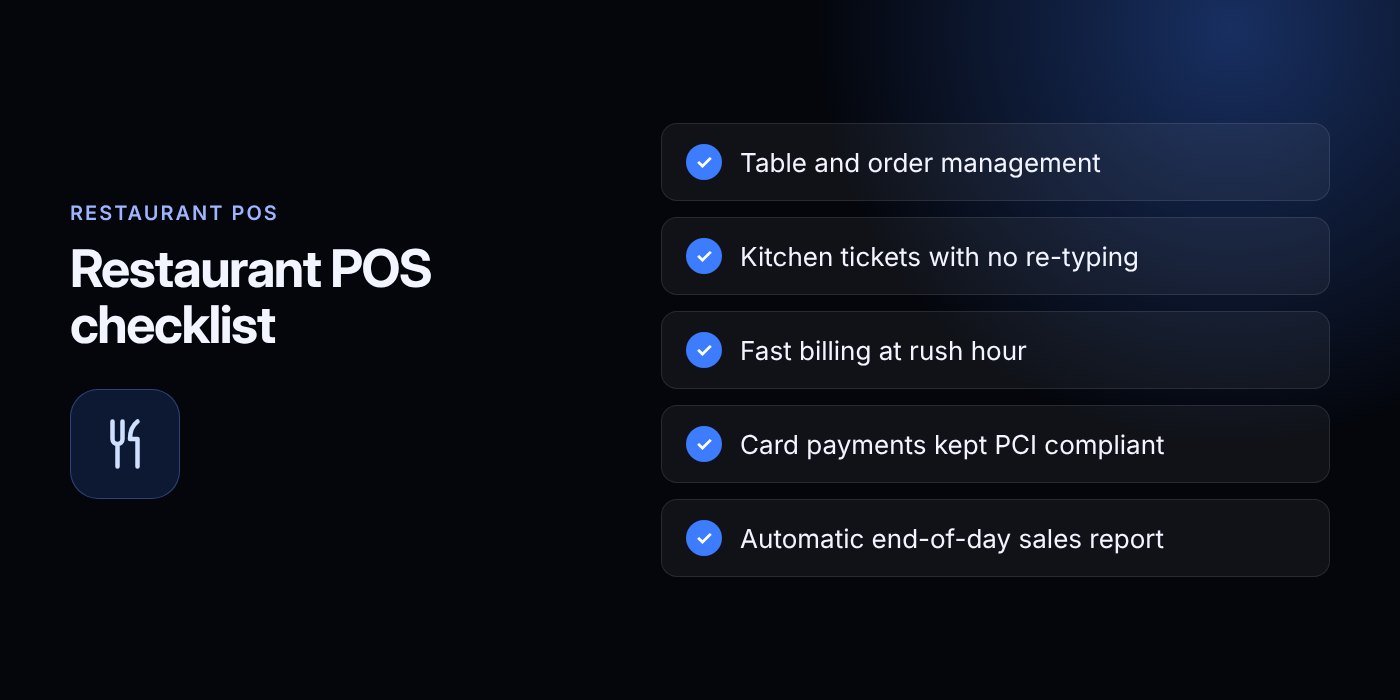
Choosing a restaurant POS system comes down to a short list: fast table orders, clear kitchen tickets, quick billing, safe payments, trustworthy end-of-day reports and honest stock control. Pick the deployment and hardware that fit your site, and plan training and migration before you switch.
Here is a practical path for 2027:
- Write down your service style, peak hours, tables, stations and branches.
- Shortlist two or three vendors and run the demo checklist above.
- Use a free trial with your real menu and staff.
- Confirm the full cost, payment options and data ownership in writing.
- Train by role, run a mock service, then go live on a quiet day.
If you want help, the Biz E-Agency team can set up a demo of the Restaurant POS with your menu and answer questions about migration, training and deployment. You can also create an account to get started, or see our full list of services. To talk to us, contact the team by email at info@bizeagency.com or on WhatsApp at +1 321-318-8127. More practical guides are on the blog.
Frequently asked questions
Can a small cafe use the same POS as a big restaurant?
Often yes, if the system scales. A small cafe needs fast counter orders and simple reports, while a big restaurant adds tables, courses and stations. Pick a system where you can switch features on as you grow.
What happens to my orders if the internet goes down?
It depends on the system. Cloud systems with offline mode let staff keep taking orders and sync later, while local systems keep running on your own network. Always ask the vendor and test it by unplugging the router during your trial.
Will my staff find a POS hard to learn?
Most staff learn the basics in one or two shifts if training is done by role. Run a mock service before opening and give each role a one-page cheat sheet. Choose software with a clear, simple screen layout.
Can I take card payments without storing card numbers?
Yes, and it is the safest route. Use payment terminals and providers that handle card data and pass your POS only a token or result. Your bank or acquirer will confirm which PCI requirements still apply to you.
Can I connect my POS to online orders and delivery?
Many systems can, but check before you buy. Ask which order channels connect, and whether all orders land on one screen and one kitchen queue. Add these links after your core service runs smoothly.
What should I do before I buy a restaurant POS in 2027?
Write down your peak-hour needs, run a demo with your real menu, and use a free trial with your staff. Get the full cost, payment options and data export terms in writing before you sign.
Need help putting this into practice?
Tell us what is slowing your business down. We reply within one business day with a clear fix.