
Retail POS System Guide 2027: How to Choose and Run One
Wondering how a retail POS system works for your shop? Get plain answers on barcode checkout, stock, cash control and what to check before you buy in 2027.
By Biz E-Agency Inc. TeamUpdated 21 min read
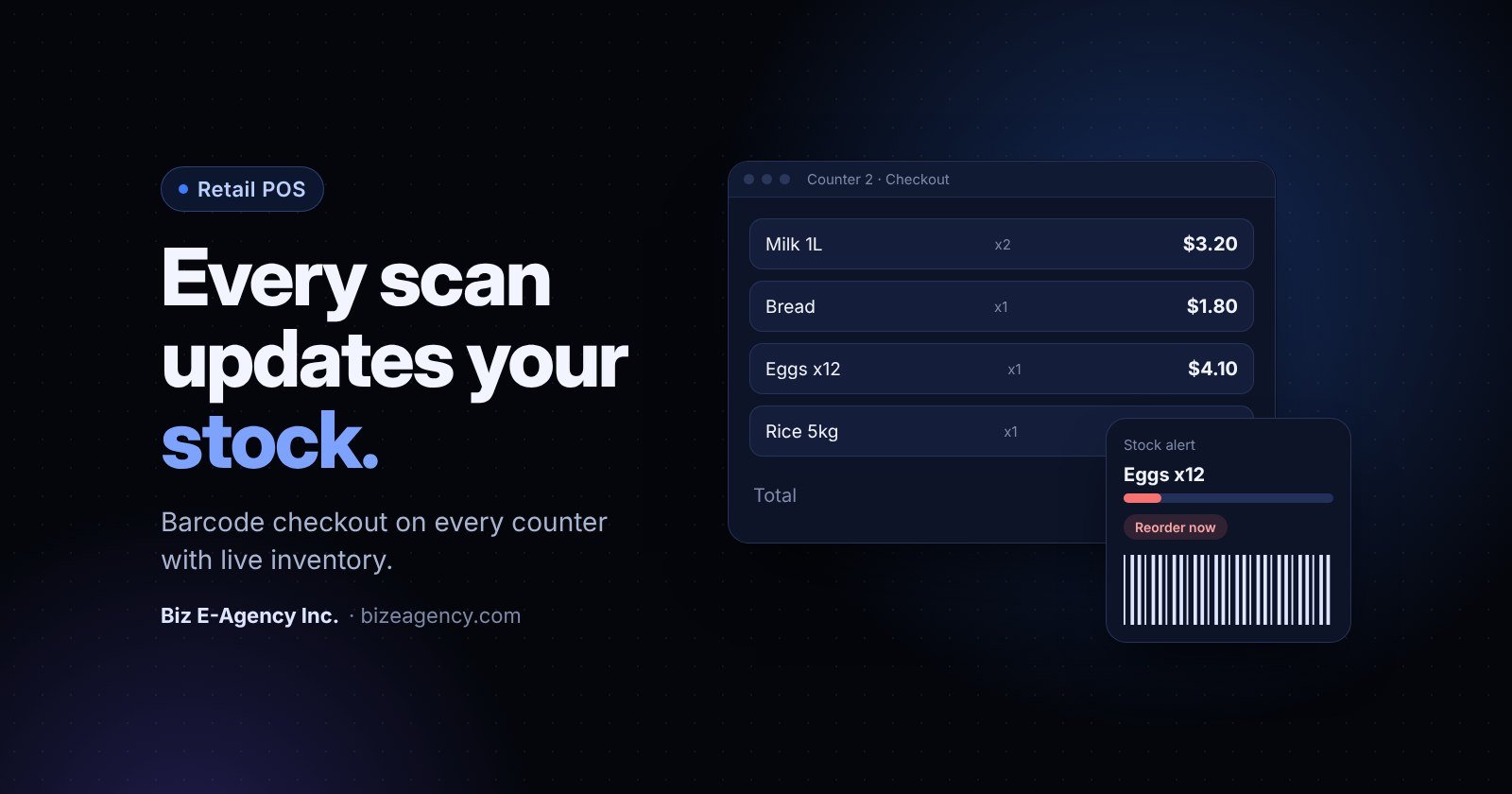
Quick answer: A retail POS system is software and hardware that scans products, takes payment and updates your stock at the moment of sale. For 2027, choose one that shares live stock across every counter, controls cash by shift and works with the card terminals and printers you already own. Test it with your own products before you pay.
You run a shop, and you want to know whether a retail POS system will fix the queues, the stock guesses and the cash that never adds up. This guide answers those questions the way you would ask them across the counter, with plain steps and no invented prices.
If you are planning a purchase in 2027, the sections below show what to check, what to ask vendors and how to roll a system out without closing the shop.
What is a retail POS system?
A retail POS (point of sale) system records every sale, takes the payment and updates your stock and reports at the same moment. It is the till, the stock book, the cash drawer and the sales report in one tool.
That last part, the automatic stock update, matters most. If a sale does not reduce stock by itself, your inventory numbers drift away from reality within days.
What jobs does it do for you?
A modern system usually covers six jobs:
- Checkout: scanning barcodes, applying prices, discounts and tax, and printing or sending receipts.
- Payments: cash, cards, mobile wallets and split payments.
- Inventory: stock levels per item, per branch, updated with every sale and delivery.
- Purchasing: supplier records, purchase orders and goods received.
- Cash control: opening float, cash in and out, and end-of-day counts.
- Reporting: sales, margins, best sellers, slow movers and staff activity.
What does it replace?
Most small shops start with a calculator, a paper ledger and a spreadsheet. That works at ten sales a day. It breaks at a hundred, because every manual step is a chance for a typing mistake, a forgotten entry or a price that was never updated.
A POS replaces those steps with one record. The cashier scans, the system prices the item, stock goes down and the sale shows in the day's report. Nobody retypes anything.
Does my shop need a retail POS system?
You probably do if two or three of these sound familiar. If only one fits, a simple app may be enough for now.
- Customers queue at peak hours and the cashier looks prices up by hand.
- You cannot say, without a physical count, how many units of a fast item are left.
- You run more than one counter or more than one branch.
- Cash at the end of the day rarely matches what the sales say it should.
- You buy from several suppliers and reorder from memory.
A ready-made retail POS system is built for exactly these problems, so it is a sensible first thing to try if the list fits your shop.
How does barcode checkout work?
Each product in your catalogue is linked to a barcode number. When the cashier scans a pack, the POS finds the number, shows the name and price, adds it to the basket and reduces stock when the sale completes.
A trained cashier scanning barcodes is far faster than one typing codes or searching a list. Fewer keystrokes also means fewer wrong items.
What everyday exceptions should checkout handle?
Good checkout screens deal with the awkward cases without fuss:
- Quantity changes for customers buying a full carton or several of the same item.
- Weighed goods, where a scale or a price-embedded barcode sets the price by weight.
- Manual lookup by name for items without a barcode, such as loose produce or bakery goods.
- Line and bill discounts, with a permission level so only a supervisor can approve large ones.
- Hold and recall, so a cashier can park one basket while a customer fetches a forgotten item.
- Returns and exchanges linked back to the original sale.
What hardware do you need?
Barcode checkout does not need exotic equipment. A typical counter has:
- A barcode scanner (1D is enough for most grocery work, 2D also reads phone screens and newer codes).
- A receipt printer, usually thermal.
- A cash drawer that opens on cash sales.
- A screen: a PC, laptop, tablet or all-in-one touch terminal.
- A card terminal if you accept cards.
- Optionally, a customer display and a weighing scale.
Check compatibility before you buy anything. Ask which scanners and printers the vendor has tested, and whether the system runs on computers you already own.
How should tax and receipts be set up?
Your system should calculate sales tax or VAT correctly for each product category and print receipts that meet local rules. Rates and receipt requirements differ between the US, UK, Canada, UAE and Pakistan, so confirm your local requirements with your accountant. Make sure the POS lets you set rates per product or category, and supports tax-inclusive and tax-exclusive pricing if your market needs both.
Can a POS run several counters at once?
Yes, if every counter reads and writes to one shared database. Then a sale at any counter updates stock for all the others straight away.
This is what "live inventory" means in practice. It is also the main reason shops outgrow single-PC software or spreadsheets. If counter one sells the last three units of milk and counter two still shows five, you will oversell and give customers wrong answers.
How do the counters connect?
Ask every vendor how counters talk to each other. A cloud database, a local server or a hybrid can all work, but each has trade-offs:
| Setup | Strength | Watch out for |
|---|---|---|
| Cloud hosted | Access from any branch, backups handled for you, easy to add counters | Needs a reliable internet connection or an offline mode |
| Local server in the shop | Keeps working if the internet drops, data stays on your premises | You are responsible for backups, power and hardware |
| Hybrid | Local speed with cloud reporting and branch sync | More moving parts to set up and maintain |
Biz E-Agency's ready-made products can be installed in the cloud or locally, so you can pick the model that suits your connectivity and your comfort with managing hardware.
How do you control who sold what?
With several counters you need to know who sold what and from where. Look for:
- A separate login for each cashier, never a shared password.
- Counter or terminal IDs on every sale.
- Shift opening and closing per cashier, each with its own cash count.
- Role permissions: cashiers sell, supervisors approve voids and discounts, managers see reports and change prices.
These controls protect you from honest mistakes as well as theft. When a till is short, you can see which shift and counter it came from instead of guessing.
How should you plan for peak hours?
If your shop is busy after work or at weekends, plan counters around those peaks. Consider an express lane for small baskets, a card-only counter and a spare terminal you can switch on in minutes. A POS that lets any terminal act as any counter makes this easy.
How does live inventory and stock alerting work?
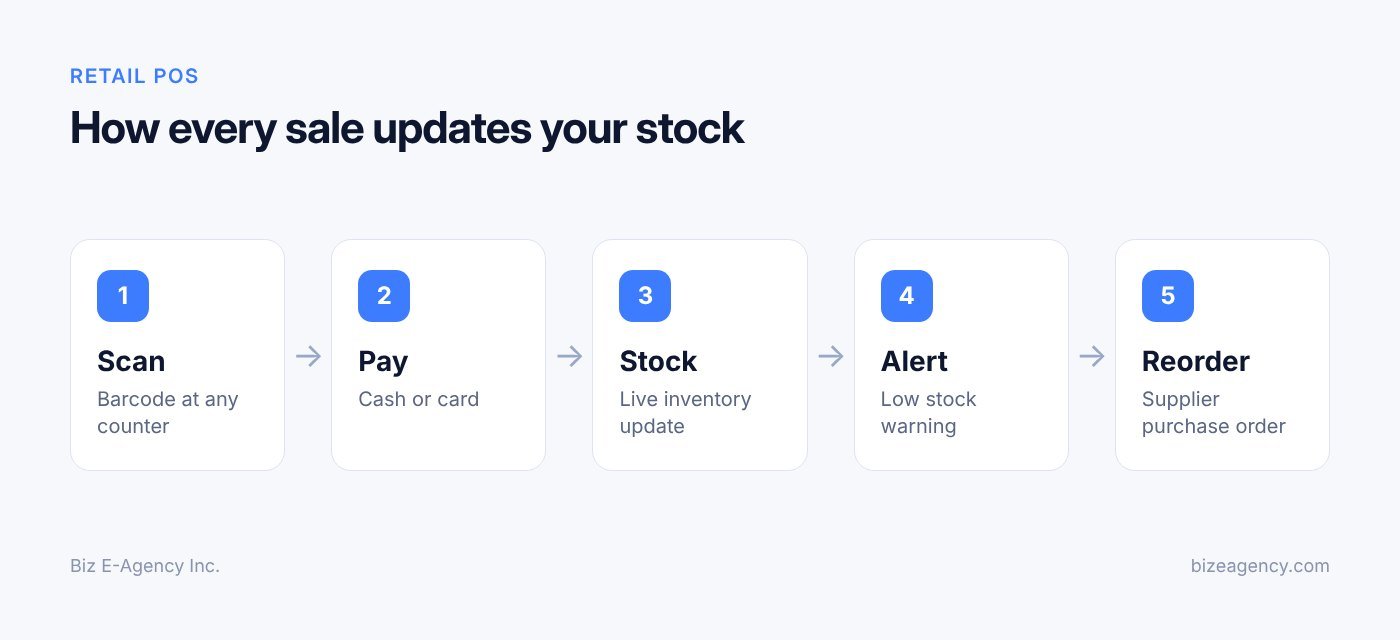
Each sale reduces stock and each delivery increases it. Because both happen inside the system, the on-hand figure stays close to reality without anyone updating a sheet.
This is the quiet advantage of a good system, and owners miss it most when it is absent. Biz E-Agency's Mart & Retail POS is built around it: barcode checkout on multiple counters with live inventory, so every sale updates stock.
How do you set a reorder level?
A reorder level is the quantity at which you want a warning. A good level depends on how fast the item sells and how long your supplier takes to deliver. Here is a simple way to set it:
- Estimate average daily sales for the item.
- Multiply by the supplier lead time in days.
- Add a safety buffer for busy days or late deliveries.
When stock falls to that level, the system should flag the item on a low stock list or dashboard. Alerts only help if someone acts on them, so decide who checks the list each morning and who raises the order.
Do you still need physical stock counts?
Yes. Items get damaged, expire, go missing or are scanned wrongly. Run regular stock takes and record each difference as an adjustment with a reason, such as damaged, expired, theft or counting error.
Habits that keep numbers honest:
- Count high-value and fast-moving lines more often than slow ones.
- Count by shelf section, so staff are not overwhelmed.
- Freeze sales of the section being counted, or count outside trading hours.
- Review adjustment reasons monthly. Repeated losses on one product point to a real problem.
What about expiry, batches and units of measure?
Grocery shops have extra needs. Dairy, bakery and packaged foods carry expiry dates, so ask whether the system tracks batches or expiry alerts.
You may also buy in cartons and sell single units, or buy by the kilogram and sell by the gram. Check that the POS converts units cleanly, so a carton of 24 becomes 24 single units in stock without manual maths.
How do suppliers and purchase orders fit in?
Managing purchasing in the same system closes the loop between what you sell and what you buy. Stock comes in as well as going out, and the POS should track both.
What should a supplier record hold?
Store each supplier's contact details, payment terms, the products they supply and the cost price for each. When prices change, update the cost so your margin reports stay correct.
What does a tidy purchase flow look like?
From reorder alert to paid invoice, the flow runs like this:
- The system flags items at or below their reorder level.
- You create a purchase order for a supplier, with quantities and agreed costs.
- The order is sent by email, WhatsApp or print.
- When goods arrive, you record a goods received note against the order.
- Stock increases, and any shortage or damaged item is noted.
- The supplier invoice is matched and recorded as a payable.
Receiving goods against a purchase order is the step many small shops skip. It is also where you catch short deliveries and wrong prices before the invoice is paid.
How do you track what you owe?
Your system should show outstanding supplier balances and payment history. That helps with cash planning and with negotiating terms. If a supplier is repeatedly late or short, the records give you something concrete to raise.
How do you watch cost price and margin?
Because the system holds both cost and selling price, it can show the margin on every item. A product with strong sales and a thin margin may need a price change or a better supply deal. For related reading on managing business data across teams, see our guide to CRM software for small business.
How do you reconcile cash at the end of the day?
Start each shift with a recorded opening float. At the end, the cashier counts the drawer and enters the total, and the system compares it with expected cash: opening float, plus cash sales, minus cash refunds and payouts.
Cash handling is where small leaks turn into real losses. A good retail POS system makes the process routine and visible.
What are the possible results?
The count either matches, runs over or comes up short. Small differences happen. Patterns do not happen by accident, so watch for the same counter or shift repeating.
Should you record cash in and out?
Yes. Cash leaves the drawer for reasons other than sales: paying a delivery driver, buying supplies, banking a surplus. Record each movement with a reason and an approver. Unrecorded payouts are a common cause of unexplained shortages.
What does a simple closing routine look like?
A repeatable close-out at each counter might look like this:
- Print or view the shift report before counting.
- Count cash by denomination, with a second person checking if the amount is large.
- Enter the count and note any difference.
- Reconcile card payments against the card terminal's batch total.
- Reconcile wallet or online payments against the provider's report.
- Remove the takings to a safe, leaving the next day's float.
- Lock or close the shift so no further sales are added.
What about non-cash payments?
Cash is only one line. Card, bank transfer and mobile wallet totals should also match the processor's settlement reports. When they do not, the cause is usually a refund, a chargeback, a fee or a timing delay, and the sooner you spot it the easier it is to trace.
Which reports should you actually read?
You need only a handful, checked on a rhythm. A few good reports do more than a large dashboard nobody opens.
| Report | Question it answers | How often |
|---|---|---|
| Daily sales summary | How much did we sell, by payment type? | Daily |
| Sales by cashier and counter | Who sold what, and where? | Daily or weekly |
| Stock on hand and low stock | What needs reordering? | Daily |
| Best and slowest sellers | What earns the shelf space? | Weekly |
| Gross margin by product or category | Where do we actually make money? | Monthly |
| Purchases and supplier balances | What did we buy and what do we owe? | Weekly |
| Returns, voids and discounts | Are there unusual patterns? | Weekly |
| Tax summary | What do we owe in sales tax or VAT? | Per filing period |
How do reports turn into action?
A few examples from a real shop:
- A slow seller tying up cash on the shelf can be discounted, bundled or dropped from the next order.
- A high-volume item with a thin margin might justify asking the supplier for a better price.
- A cashier with many voids may need retraining, or a closer look.
- Sales by hour show when to roster more staff and when to open another counter.
Can it export to your accountant?
Check that the POS exports sales, tax and purchase data in a format your accounting software or spreadsheet can use. Reliable exports save hours at month end and reduce errors at tax time.
Do you need GS1 barcodes for your shop?
Not for products that already carry a manufacturer barcode. You simply scan the pack once and link that number to your name, price and cost. If you sell your own branded goods to other retailers or marketplaces, you generally need GTINs issued by GS1.
What do the barcode numbers mean?
Most packaged goods carry a GTIN (Global Trade Item Number), the number encoded in the barcode. In retail you will mostly meet the EAN-13 format (common in Europe, Asia, the Middle East and elsewhere) and the UPC-A format (common in the United States and Canada).
GS1, the global standards body, explains this system on its barcodes page, and notes that EAN/UPC codes are the longest-established and most widely used GS1 barcodes.
What if you sell your own products?
If you make or pack your own goods and want larger retailers and online marketplaces to accept them, get your own GTINs from GS1 rather than made-up numbers. Details on EAN and UPC codes are on the GS1 site, and each country has a local GS1 office that issues them.
For goods sold only in your own shop, internal barcodes are fine. Many systems generate and print labels for items that arrive without one, such as loose goods, repackaged bulk items or shelf-cut produce.
How do you print labels?
A shop with its own labels needs a label printer and a template with the barcode, product name and price. Test print a few labels and scan them at the counter before you print hundreds. A barcode that is too small, too faint or printed on a curved surface may scan poorly.
How should you set up your catalogue?
Your product catalogue is the foundation of the system. A messy catalogue produces messy reports.
- Use consistent names, such as brand, product, size, in that order.
- Group products into clear categories and sub-categories.
- Record cost price, selling price and tax class for every item.
- Handle variants (size, flavour, colour) deliberately, with their own barcodes.
- Remove duplicates before launch, since the same item under two codes splits its stock and sales history.
How do you keep card payments secure?
Use a certified card terminal or payment provider that handles card data itself, so your POS never sees or stores full card numbers. The goal is to keep card data away from your own systems as much as possible.
What is PCI DSS?
The Payment Card Industry Data Security Standard (PCI DSS) is a set of requirements for organisations that store, process or transmit cardholder data. The standard is maintained by the PCI Security Standards Council, and its merchant resources explain what small businesses should do to protect payment data. Your obligations depend on how you accept cards and what your acquiring bank or payment provider requires, so confirm them with your provider.
What practical steps protect you?
On top of using an approved terminal:
- Use terminals supplied or approved by your payment provider.
- Never write card numbers on paper or store them in spreadsheets.
- Keep the POS and operating system updated.
- Use strong, unique passwords and turn on multi-factor authentication where offered.
- Give each staff member their own login and remove access when they leave.
- Restrict who can open reports and change settings.
- Keep customer Wi-Fi separate from the network that runs the POS.
- Check card terminals regularly for tampering.
What should you ask about card integration?
When a vendor says the system "accepts cards", ask exactly how. Is the terminal integrated so the amount passes to it automatically, or does the cashier key the amount in twice? Which payment providers are supported in your country? Where does card data go? Clear answers reduce errors and compliance headaches.
What about other data you hold?
A POS also holds customer and staff data, such as loyalty details and phone numbers. Collect only what you need, keep it protected and follow the privacy rules in your country. Daily or weekly backups, stored away from the shop, are a basic safeguard against hardware failure, theft or ransomware.
How much does a retail POS system cost?
The honest answer is that it depends on your setup, and any vendor who quotes a price before asking questions is guessing. We will not invent a figure here. Instead, these are the factors that move the cost up or down.
- Number of counters and branches.
- Size of your catalogue and how much data must be migrated.
- Cloud hosting or a local install.
- Hardware you need to buy versus hardware you already own.
- Customization, branding and special features such as expiry tracking or loyalty.
- Training, support and maintenance after launch.
- Card terminal fees, which usually come from your payment provider and not the POS vendor.
What should the quote include?
Ask for a written quote that lists what is included and what is extra. With Biz E-Agency, pricing is confirmed in writing before work starts, and payments are split into milestones. Ask any provider you consider for the same clarity, and ask what happens to your data and your costs if you leave.
How do I choose a retail POS system in 2027?
Write down what you need, compare the types of system, ask every vendor the same questions and test with your real products. That order saves regret, and it works whatever your budget.
How do the main options compare?
| Option | Best for | Trade-offs |
|---|---|---|
| Basic mobile or tablet app | Very small shops with simple needs | Limited inventory, purchasing and multi-counter features |
| Ready-made retail POS system | Marts, grocery and general retail wanting fast deployment | Less unique than custom, but quicker and lower risk; check how much can be customized |
| Large enterprise retail suite | Chains with complex, multi-region needs | Cost, complexity and long implementation |
| Fully custom build | Unusual workflows or deep integrations | Longer timeline and higher budget; see our custom software development guide |
For a single mart or a small group of stores, a ready-made system that can be branded and adjusted usually offers the best balance of speed, cost and fit.
What should you ask every vendor?
Put these questions to each one:
- Does every sale update stock instantly across all counters?
- Can I run several counters and branches on one database?
- What hardware is supported, and what do I already own that will work?
- What happens if the internet goes down?
- How are backups handled, and who owns my data?
- Can you migrate my existing product list and opening stock?
- Is staff training included before go-live?
- What support is available after launch, and what are the terms?
- Is pricing confirmed in writing, and what is included?
- Can I try it before committing?
Why test with real products?
Never judge a system by a sales demo alone. Load a sample of your actual products, scan them, run a few sales, process a return, create a purchase order and close a shift. If a daily task feels clumsy in the trial, it will feel worse on a busy Saturday.
Biz E-Agency offers a free trial of its ready-made systems, with the team setting up a demo so you can see it with your own workflow. You can also browse the full software range if you run other types of business.
Who owns the system and who supports it?
Ask what you are buying. With Biz E-Agency, every project includes handover, training and a support window, and monthly maintenance plans are available. For custom work, you own the code and designs once paid in full.
How do I roll out a POS in a working shop, step by step?
Follow the steps below and you can switch systems while the shop keeps trading. Ready-made systems are typically deployed in about one to two weeks, though the real time depends on your catalogue size, hardware and customization.
- Confirm your requirements: counters, branches, products, tax rules, payment types and hardware.
- Install the cloud or local system, then configure users, tax, receipts and branding.
- Clean your product data, then import products, barcodes, prices, suppliers, customers and opening stock.
- Train cashiers, supervisors and managers using real products.
- Run the new system alongside the old method for a short period.
- Go live on a quiet day, with support on hand for the first days.
- Review reports after two or three weeks, fix gaps and refine reorder levels.
Biz E-Agency's process follows a Discover, Design, Build, Launch and grow pattern, with data migration and staff training before go-live.
How should you clean your data first?
Migration is only as good as the file you start with. Before import:
- Remove duplicate and discontinued products.
- Standardise names and categories.
- Check that every item has a valid barcode, cost, price and tax class.
- Do a full stock count so opening stock is accurate.
- Confirm supplier details and outstanding balances.
A clean start makes every later report more trustworthy.
How do you train each role?
Cashiers need practice scanning, handling returns and holding baskets. Supervisors need to learn voids, discounts and shift closing. Managers need stock, purchasing and reports. Short sessions with real products, repeated before go-live, beat one long lecture. Write a one-page quick guide for each counter.
When is the best day to go live?
Avoid your busiest day or a seasonal peak. A quiet weekday morning is usually safer. Keep your old method ready for a few days as a fallback, have the provider or an internal lead on call, and expect a few small questions in the first week.
How do you know it is working?
After two or three weeks, check these points:
- Is the queue shorter at peak times?
- Does the stock figure match shelf counts more closely?
- Are cash differences smaller and easier to trace?
- Are reorders based on alerts rather than memory?
- Are staff comfortable without asking for help?
Adjust reorder levels, permissions and layouts based on what you find. A retail POS system improves as you refine it.
What mistakes should you avoid?
The common ones repeat across shops, so you can dodge most of them with a short checklist.
- Buying hardware before confirming it works with the software.
- Skipping catalogue cleanup and migrating errors into the new system.
- Sharing one login among all cashiers.
- Ignoring low stock alerts, or setting reorder levels so high that alerts become noise.
- Not receiving goods against purchase orders.
- Letting price changes happen outside the system.
- Failing to back up data or test a restore.
- Treating card security as the bank's problem alone.
- Launching on a peak day without a fallback plan.
If you also run food service, the same principles apply with extra needs such as tables and kitchen tickets. They are covered in our restaurant POS system guide and on the Restaurant POS product page.
What will change in 2027 and 2028?
Nobody can say exactly, so treat this as a watch list and not a forecast. These are the trends worth keeping an eye on when you buy in 2027.
- 2D barcodes: GS1 notes that the industry is moving toward 2D barcodes that carry more data, such as batch numbers and expiry dates, in a small space. You do not need to act today, but expect more products to carry them, so choose a scanner that reads 2D codes.
- Payments: expect more mobile wallet and tap-to-pay use at the counter. Watch for how your payment provider supports it, and confirm any rule changes with them.
- Connected tools: expect POS data to feed more directly into accounting, supplier ordering and chat tools such as WhatsApp. Check that any system you buy can export data and connect to other tools.
- Automation: it is likely that more routine tasks, such as suggested reorders and unusual-sale alerts, will be automated. Treat suggestions as input and keep a person responsible for decisions. Our AI automation page shows what is possible today.
- Rules: tax, receipt and data protection rules differ by country and can change. Keep your accountant in the loop, and pick a vendor that updates its software when rules change.
The practical lesson is simple. Choose a system you can update, export from and extend, so it still fits your shop in 2028.
Next steps
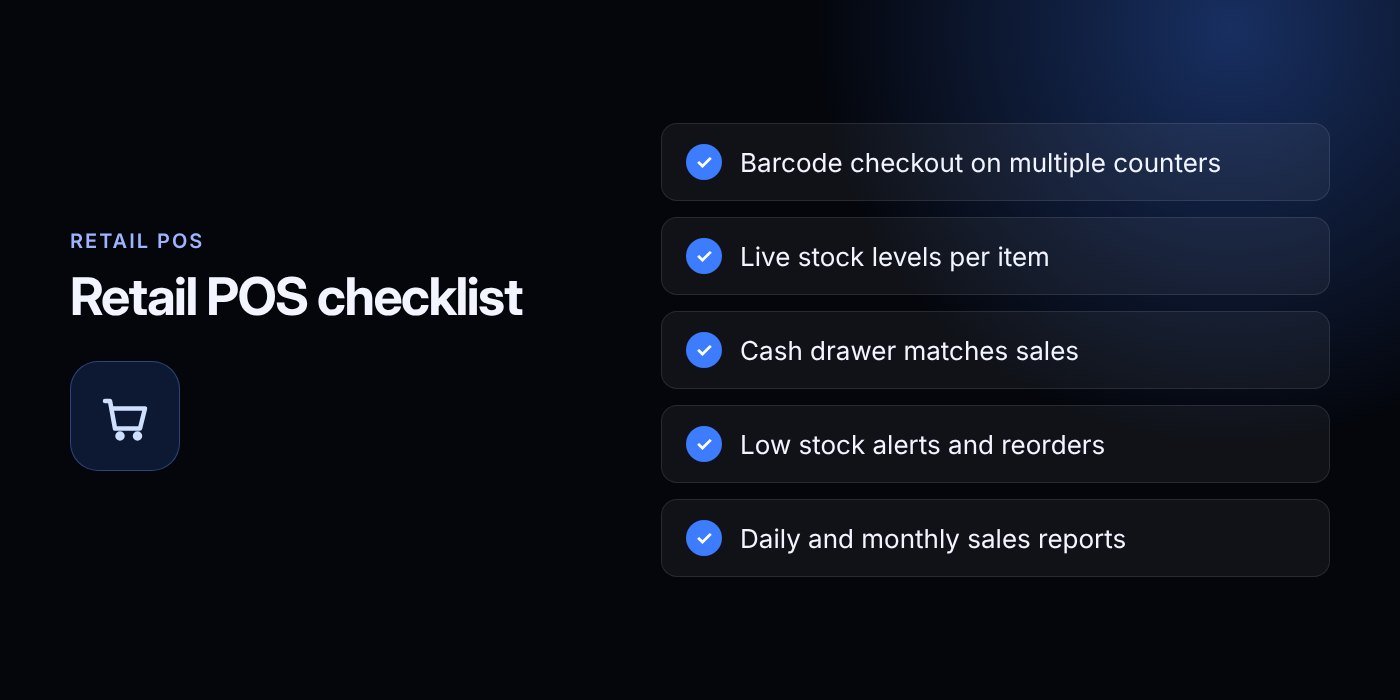
A retail POS system pays off when it matches how your shop really works: fast barcode checkout, shared stock across counters, honest cash counts and clear reports. Start by listing your counters, products and pain points, then test a system with your own items before you commit.
Here is a simple path forward:
- Write down your requirements and current problems.
- Review the Mart & Retail POS features against that list.
- Request the free trial and run your real products through it.
- Plan data migration, training and a quiet go-live day.
- If you need something unusual, explore our wider services options.
Ready to talk? Contact the Biz E-Agency team by email at info@bizeagency.com, on WhatsApp at +1 321-318-8127, or by phone at +1 650-502-9475. We support English, Urdu and Hindi, and we can arrange a demo that fits your shop.
Frequently asked questions
Will a POS still work if my internet goes down?
It depends on the setup. A local server or a system with an offline mode keeps selling and syncs later, while a purely cloud system may stop. Ask every vendor exactly what happens during an outage and test it in the trial.
Can I use my own computers and printers?
Often yes, but compatibility varies. Ask the vendor which scanners, receipt printers and operating systems they have tested before you buy any hardware. Reusing what you own can reduce your upfront spending.
How do stock alerts help me avoid running out?
Each sale reduces stock automatically, and you set a reorder level per product. When stock reaches that level, the system flags the item so you can raise a purchase order before it runs out. Regular physical counts keep the figures accurate.
Do I need GS1 barcodes for my shop?
Not for products that already carry a manufacturer barcode, since you simply scan and link them. If you sell your own branded products to other retailers or marketplaces, you generally need GTINs issued by GS1. For items sold only in your shop, internal barcodes are fine.
How can I keep customer card data safe?
Use a certified card terminal or payment provider that handles card data so your POS never stores full card numbers. Keep software updated, give each cashier a unique login and check terminals for tampering. Confirm your PCI DSS obligations with your payment provider.
How long before I can start selling on a new system?
Ready-made systems are typically deployed in about one to two weeks, depending on catalogue size, hardware and customization. Plan for data migration, staff training and a short period of running old and new methods side by side. A free trial lets you test it first.
Need help putting this into practice?
Tell us what is slowing your business down. We reply within one business day with a clear fix.