
CRM Software for Small Business Guide 2027: How to Choose
Wondering which CRM software for small business to buy in 2027? Get plain answers on lead capture, pipelines, WhatsApp, costs, data privacy and team adoption.
By Biz E-Agency Inc. TeamUpdated 19 min read
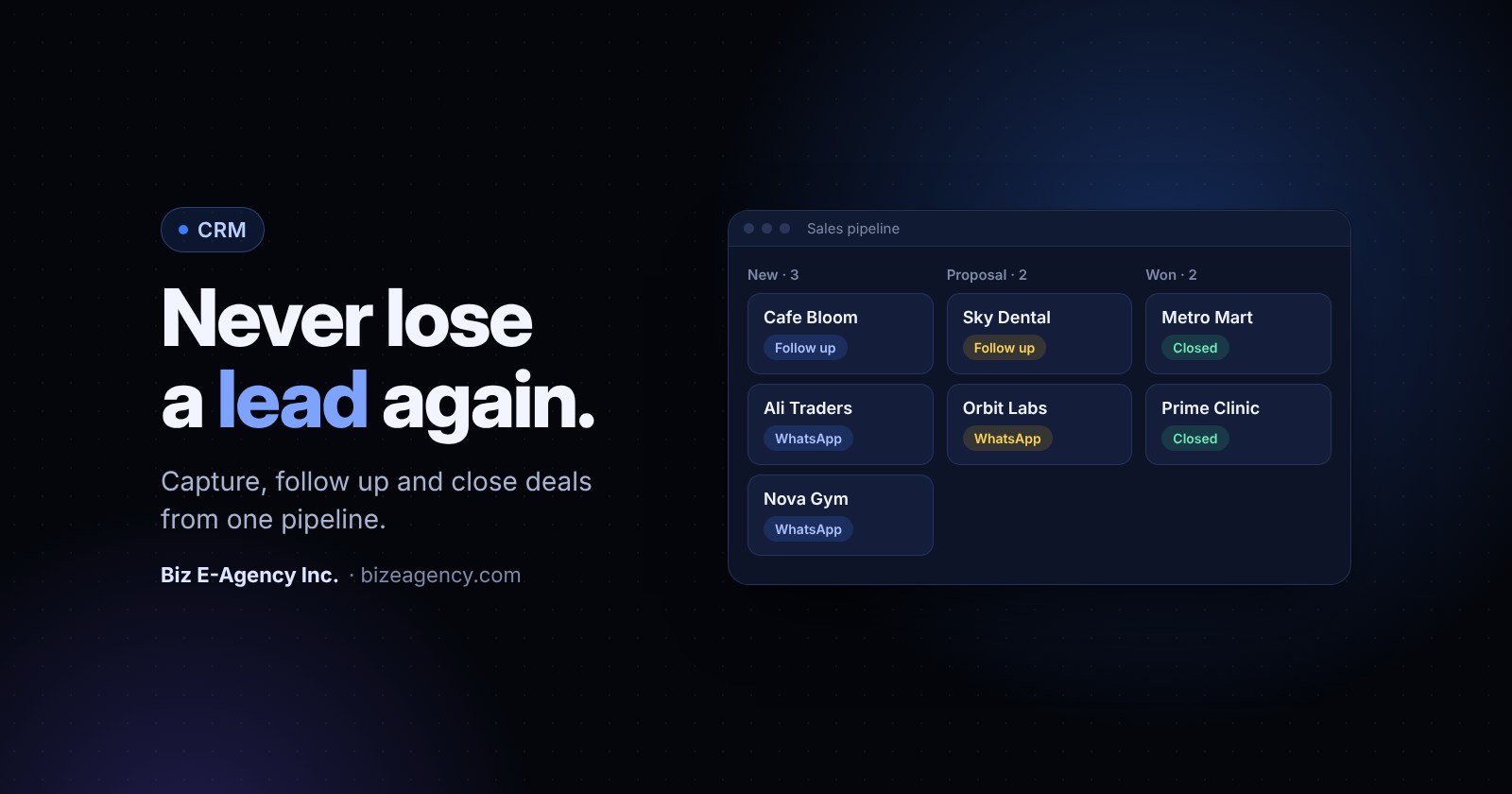
Quick answer: CRM software for small business is a shared system that keeps every lead, conversation, deal and reminder in one place. In 2027, choose one that captures leads automatically, has a short pipeline, sends follow-up reminders and lets you export your data. A ready-made CRM can be running in 1 to 2 weeks, while a custom build typically takes 6 to 12 weeks.
You run a small team, so you already know how leads slip away: a message in WhatsApp, a missed call, a form entry nobody saw. This guide answers the questions owners ask us most often, in plain language, so you know what to check before you buy in 2027.
Read it top to bottom, or jump to the question you need. Each section starts with a short answer, then explains the detail.
What does CRM software for small business actually do?
It stores every customer, lead and conversation in one shared record, so anyone on your team can see the full history. CRM stands for customer relationship management.
Think of it as replacing the notebook, the spreadsheet and the contacts on your phone with one system. Each customer gets one record, and every call, chat, quote and task attaches to it.
A good system answers five questions at any moment:
- Who are my leads and where did they come from?
- Which stage is each deal in right now?
- Who on my team owns the next action?
- What was said the last time we spoke?
- How much revenue is likely to close this month?
Many owners delay buying a CRM because they think it is only for big sales teams. It is the other way round. The smaller your team, the more a single missed follow-up costs you. One owner handling 40 enquiries a week can lose track of ten of them without noticing.
Do I need CRM software for small business right now?
You probably do if leads reach you from several places and you cannot say who is chasing each one. Two or more of the signs below are enough.
What are the signs you need a CRM?
- Leads arrive from three or more places and live in different apps.
- You ask "did anyone call that customer back?" more than once a week.
- A team member leaves and their customer knowledge leaves with them.
- You cannot say how many quotes are open or what they are worth.
- Customers repeat their details every time they contact you.
If two or more apply, a CRM will repay the setup effort quickly. The goal is not more software. It is fewer dropped leads and clearer ownership.
Is a spreadsheet good enough?
For a solo owner with a handful of customers, yes. A spreadsheet does not remind anyone to follow up, does not log WhatsApp chats, and breaks when two people edit it. Once a second person joins the sales process, a CRM starts to earn its place.
How do I capture leads from my website, WhatsApp and calls?
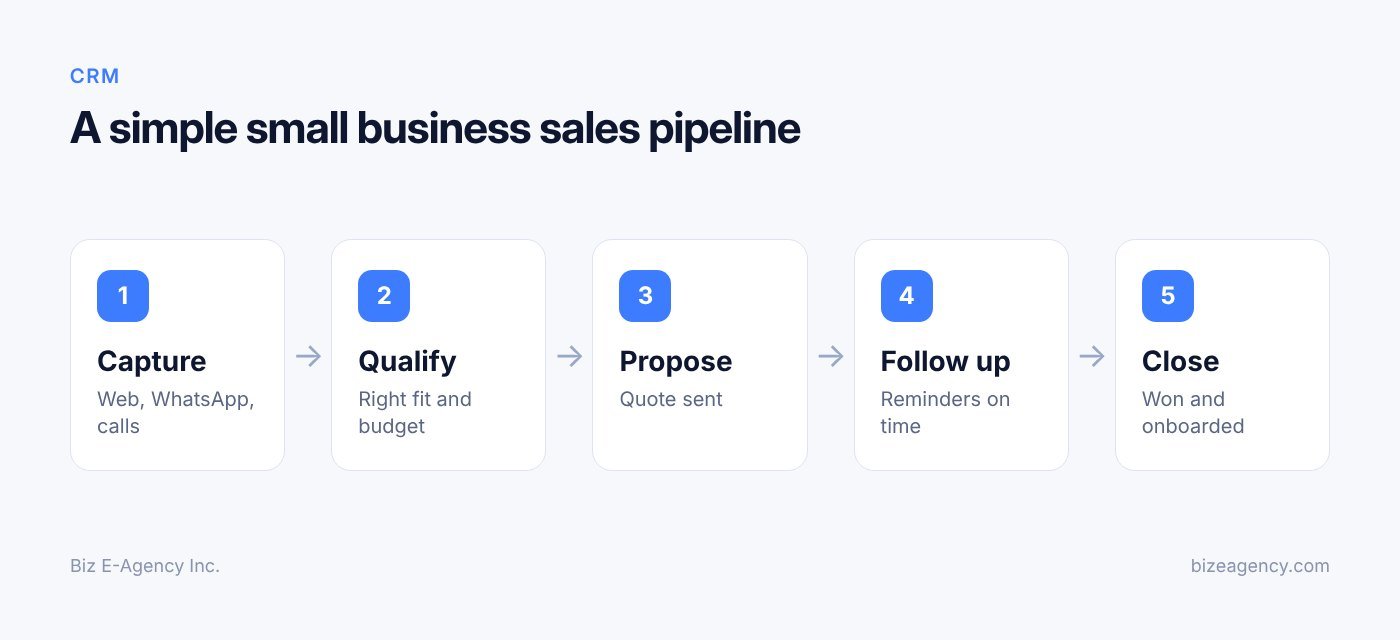
Connect each channel so that a new enquiry creates a lead record automatically. If a lead never enters the system, nothing else in your CRM matters.
Automatic capture means your staff do not rely on memory or manual typing. Here is how to handle each source.
How should website forms and landing pages work?
Every contact form, quote request and booking form should create a lead the moment it is submitted. The record should include the name, phone, email, the page they came from and the message they wrote.
Keep forms short. Name, phone and one question get more completions than a ten-field form. You can ask for more detail in the first conversation, and the CRM stores it on the same record.
Also check what happens after submission. The lead should be assigned to a person, and that person should get a notification straight away. A form that sends an email to a shared inbox nobody watches is the most common leak we see in small businesses.
Can a CRM capture WhatsApp conversations?
Yes, when it connects to the WhatsApp Business Platform. For many businesses in Pakistan, the UAE, the UK and North America, WhatsApp is where customers prefer to talk. Prospects ask for prices, send photos and confirm orders there. If those chats stay on one person's phone, you have no record and no continuity.
A connected CRM can log each conversation against the customer record, create a lead from a new number, and let several staff members answer from a shared inbox. Our guide to the WhatsApp Business API explains how the official setup works, including Meta business verification, opt-in rules and message templates.
Meta's own documentation for the WhatsApp Cloud API is the best reference for what the platform can and cannot do. Rules and fees can change, so check them before you plan a campaign.
How do I log phone calls and walk-ins?
Log every inbound and outbound call with a short note: who called, what they wanted, what happens next. Many CRMs let staff click a number to dial and log the call in a few seconds.
For walk-in customers, create a lead at the counter. Ask for a name and phone number, tag the source as "walk-in" and set a follow-up date. It takes 20 seconds and gives you a list to contact later.
If you receive more calls than your team can answer, an AI voice agent can answer, qualify the caller and pass the details into the CRM. A human then calls back the ones that matter.
Why tag every lead with a source?
Whatever the channel, record where the lead came from. Over a few months this shows you which channels produce paying customers, not just enquiries. That is the data you need before you decide where to spend your advertising budget.
How do I build a sales pipeline my team will follow?
Use five to seven stages, name them after facts, and write down what moves a deal forward. A pipeline is the sequence a deal passes through from first contact to won or lost.
It turns "I think we are doing okay" into a visible board where every deal has a position.
How many stages should my pipeline have?
Most teams need five to seven stages. More than that and people stop updating them. A typical example:
- New lead
- Contacted
- Qualified
- Quote or proposal sent
- Negotiation
- Won
- Lost (with a reason)
Name stages after what has happened, not what you hope will happen. "Quote sent" is a fact. "Hot" is an opinion.
What moves a deal to the next stage?
Write one sentence for each stage describing the exit condition. For example, a lead becomes "Qualified" when you know the budget range, the decision maker and the timeline. This stops two staff members from using the same stage in different ways.
Why record lost reasons?
When a deal is lost, require a reason: price, timing, chose a competitor, no response, or not a fit. After three months you will see patterns. If "no response" dominates, your follow-up process is the problem, not your product.
Do I need more than one pipeline?
A service business may run one pipeline. A company that sells both retail and wholesale may need two, because the steps and timelines differ. Hospitals, schools and factories have their own processes, which is why we also build dedicated systems such as the Hospital CRM and Management and Factory CRM and Management products. For general sales teams, the Business CRM covers the common case.
How do I set follow-up reminders that stop leads going cold?
Give every open deal exactly one next action with a due date, and let the CRM remind the owner. Speed and persistence win more deals than clever pitches, because most buyers go with the business that replies first and follows up reliably.
What tasks should be tied to each deal?
When the due date arrives, the owner gets a reminder. If the task is overdue, the manager sees it. This one habit removes most of the "I forgot" losses.
Which reminder rules are worth setting up?
- A new lead gets a first response task due within an hour during business hours.
- A quote sent gets a check-in task two or three days later.
- A deal with no activity for seven days gets flagged on the manager's dashboard.
- A won customer gets a thank-you and a review request after delivery.
- A lost lead gets a gentle check-in in 60 to 90 days.
Adjust the timings to your sales cycle. A restaurant catering enquiry moves in days. A factory equipment deal may take months.
Should follow-up be automatic or manual?
Both, with a clear split. Reminders should prompt a person, not replace one. Automatic messages work well for confirmations, appointment reminders and simple status updates. Anything involving price, negotiation or a complaint should be handled by a human who has read the history.
Which sales reports should I actually check?
Check four or five numbers every week: new leads by source, response time, open pipeline value and conversion by stage. Reports are the payoff for entering data, but only if you look at them often enough to trust them.
What are the numbers that matter?
| Metric | What it tells you | How often to check |
|---|---|---|
| New leads by source | Which channels bring enquiries | Weekly |
| Response time | How fast the team replies | Weekly |
| Conversion rate by stage | Where deals get stuck | Monthly |
| Open pipeline value | Likely revenue for the coming weeks | Weekly |
| Average sales cycle | How long deals take to close | Monthly |
| Won and lost reasons | Why you win or lose | Monthly |
| Activity per team member | Workload and coaching needs | Weekly |
How do I avoid vanity reports?
A chart with 40 metrics looks impressive and helps nobody. Pick four or five numbers, put them on one screen and review them in a short weekly meeting. If a metric never changes a decision, remove it.
How good is my data, really?
Reports are only as good as the data behind them. If half the deals have no value or no close date, the forecast will be wrong. Make a few fields required at key stages, such as deal value when moving to "Quote sent".
Forecasts are estimates, not promises. Use them to plan cash flow and staffing, and update them as deals change.
How do I get my team to use the CRM?
Show staff what it saves them, keep data entry small, and run your own meetings from the CRM screen. Most CRM projects fail because people stop using the tool, not because the software lacks features.
If staff see it as a chore or as surveillance, they will keep their real notes elsewhere.
What problem should I solve first?
Pick the pain your team already feels. Examples: no more hunting for old WhatsApp messages, no more asking colleagues for a customer's history, automatic reminders instead of sticky notes. Adoption rises when people see a personal benefit in week one.
Why should the owner be the first user?
If the owner or manager still asks for updates in chat or on a spreadsheet, the team will follow that signal. Run your weekly sales meeting from the CRM. If it is not in the system, it is not discussed.
How much data entry is too much?
Every extra required field costs you compliance. Ask only for what you will use. Use dropdowns instead of free text, templates for common notes, and automation to fill in what the system can work out itself.
How should I train the team?
One long training day is forgotten by Friday. Run a 60 to 90 minute session at launch, then short refreshers in the first month. Give each role a one-page guide: what to do when a lead arrives, how to log a call, how to move a deal.
Which rules should I write down?
- Every lead is entered the same day.
- Every deal has a next action and a date.
- Lost reasons are mandatory.
- Customer details are updated in the CRM, not in private files.
Review compliance gently at first. The aim is a shared habit, not a punishment system.
How do I move data from spreadsheets and old tools, step by step?
Clean your records first, map each column to a CRM field, test with a small batch, then set a cutover date. Most firms start with a spreadsheet, a phone full of contacts and some email folders, and bad data in means bad reports out.
Here is the process we recommend:
- Export everything you have: spreadsheets, phone contacts and email address books.
- Remove duplicate customers and test entries.
- Standardize phone numbers with country codes, and split full names into first and last name if possible.
- Decide which old leads are still worth contacting, and mark the source and status of each record.
- Map each column to a CRM field. Use custom fields for unusual items such as "preferred language" or "delivery area".
- Import 20 records as a test, check the result, then import the rest.
- Save the original files untouched as a backup.
- Choose a cutover date after which the CRM is the only place for new data.
Do not import ten years of dead contacts just because you can. A smaller, accurate list is more useful than a large messy one.
Running two systems in parallel for weeks creates confusion and double entry, so keep the cutover date firm. For ready-made systems, our team handles data migration and staff training before go-live, so your records arrive in a clean state and people know how to use them from day one.
How do I connect WhatsApp and AI agents to my CRM?
Choose the official WhatsApp Business Platform for chats, and add an AI assistant for simple, repeatable questions with clear handover to a person. Plan these integrations early, because CRM software for small business becomes far more useful when it connects to the channels you already use.
How does the WhatsApp connection work?
Connecting WhatsApp means chats, media and customer details sit in the same record. Key points to remember:
- It uses the official WhatsApp Business Platform, which requires Meta business verification.
- Business-initiated messages need customer opt-in.
- Meta approves message templates and charges per conversation or message, and its rules and fees can change.
- Your team can share an inbox, so any agent can pick up a conversation.
Read the full explanation in our WhatsApp Business API guide.
What can an AI assistant do for my sales team?
An AI assistant can answer common questions, collect a customer's name, need and budget, and create a lead in the CRM before a human gets involved. This is useful outside office hours, when enquiries arrive and nobody is available.
Good practice for AI in sales and support:
- Let the AI handle simple questions such as hours, locations and basic pricing information you have approved.
- Define clear handover rules, so complex or sensitive chats go to a person.
- Show the human agent the full AI conversation inside the CRM record.
- Review transcripts regularly and correct wrong answers.
If you want to explore this, see our AI automation services. An AI agent supports your team. It does not replace the judgment needed to close a deal.
Should I connect email, calendar and accounting too?
Yes, but later. Connect your email so messages attach to the right customer. Sync your calendar so meetings appear on the deal. If you send invoices from accounting software, a link back to the CRM record saves time at month end. Add these once the core pipeline is working, not before.
Why ask about an API before I buy?
Even if you do not need an integration today, check that the CRM has an API or export option. It keeps you from being locked in and lets a developer connect new tools later.
Should I choose a ready-made or custom CRM?
Choose ready-made if your sales process is fairly standard and you want to start within weeks. Choose custom if your workflow is unusual. Both routes work, and the right choice depends on how different your process is and how fast you need to start.
How do the two options compare?
| Factor | Ready-made CRM | Custom CRM |
|---|---|---|
| Time to start | Typically 1 to 2 weeks to deploy | Typically 6 to 12 weeks, depending on scope |
| Upfront effort | Lower: configure, import data, train staff | Higher: requirements, design, build, test |
| Fit to your process | Good for common sales workflows | Built around your exact steps |
| Flexibility | Branding and customization within the product | Almost unlimited |
| Risk | Lower, because the product already works | Higher if requirements are unclear |
| Best for | Teams that want to start quickly | Unusual workflows, special integrations, specific compliance needs |
Timelines are estimates and depend on your data, integrations and how quickly decisions are made.
When is ready-made the better choice?
If your process is a standard lead-to-sale flow, you want to be running within weeks, and you would rather adjust your process slightly than pay for something built from scratch, go ready-made. Our Business CRM is a ready-made option. It captures every lead, moves it through a clear pipeline and reminds the team to follow up. It can be branded and customized, installed in the cloud or locally, and a free trial is available.
When does custom make sense?
Go custom if your workflow does not fit standard tools: multi-step approvals, links to your own equipment or ERP, industry rules, or a customer portal that must look and behave in a particular way. Custom work also suits companies that plan to sell the software itself to others.
If you are weighing this, our custom software development guide explains the process: Discover, Design, Build, Launch and grow. Pricing is confirmed in writing before work starts, and payments are split into milestones. The client owns the code and designs once paid in full.
Is there a middle path?
Yes. Many businesses start ready-made and extend later. You get a working system quickly, learn what your team really needs, and only then decide which features justify custom development. This avoids paying for guesses.
Which questions should I ask any vendor?
- Can I export all my data at any time, in a standard format?
- Who owns the data and the code?
- What training and support are included, and for how long?
- How are updates and fixes handled?
- Where is the data stored, and who can access it?
- What does it cost to add users or features later?
How much does CRM software for small business cost?
It depends on a handful of factors, so get a written quote that lists each one. We do not quote a single figure here because the price of a CRM changes with your needs, and any number without context would mislead you.
What drives the price?
- Number of users who need a login.
- Ready-made product or custom build.
- Cloud hosting or a local install on your own server.
- Data migration effort and the quality of your existing records.
- Integrations such as WhatsApp, email, accounting or AI assistants.
- Branding, custom fields and special reports.
- Training, support window and monthly maintenance.
What costs do people forget?
Staff time is the big one. Someone has to clean data, configure the pipeline and attend training. WhatsApp messaging fees are charged by Meta under its own rules, so they sit outside the CRM price. Ask about the cost of adding users or features later, and about what happens to your data if you leave.
With us, pricing is confirmed in writing before work starts, and payments are split into milestones. Whatever vendor you choose, ask for the same clarity.
How do I keep customer data safe in a CRM?
Collect only what you need, get clear consent, limit who can see what, and follow basic security habits. Your CRM holds names, phone numbers, emails, addresses and conversation history. That is personal data, and you are responsible for protecting it.
What should I collect, and why?
Ask yourself why you need each field. If you do not use a customer's date of birth or home address, do not collect it. Less data means less risk and less to manage.
How do I handle consent?
Tell customers why you are collecting their details and how you will use them. For marketing messages, get permission first. This matters for email and especially for WhatsApp, where business-initiated messages need opt-in. Record the date and source of consent in the CRM.
Rules differ by country. In the UK, the Information Commissioner's Office publishes practical advice for small organisations on data protection. If you serve customers in the EU, the UAE, Canada or US states with their own privacy laws, check what applies to you or ask a qualified adviser.
Who should see what?
Use role-based access. A sales assistant may need to see leads but not export the whole database. A manager may need reports but not billing settings. Remove access the same day someone leaves.
Which security habits matter most?
The US Federal Trade Commission has a helpful cybersecurity guide for small businesses. From it and general good practice, make sure you:
- Use strong, unique passwords and turn on two-factor authentication.
- Keep software updated.
- Back up data regularly and test restoring it.
- Train staff to spot phishing messages.
- Avoid sharing exports over personal chat apps or email.
Cloud or local install?
Hosting is part of the privacy decision. Cloud hosting is easier to maintain and access from anywhere. A local install keeps data on your own server, which some businesses prefer for control or regulatory reasons. Our ready-made systems support both, so you can choose based on your needs.
How long should I keep records?
Decide how long you keep records of inactive customers, and delete or anonymize them when the time is up. Also have a simple process for handling a customer who asks to see or delete their data.
What will change in 2027 and 2028?
Expect more AI help inside CRMs, more business conversations happening in chat apps, and more attention to privacy. None of this is certain, so treat these points as things to watch for rather than facts.
Will AI do more of the routine work?
Likely, yes. Expect CRMs to offer more help with drafting replies, summarizing long conversations and suggesting the next action. Watch for how each vendor handles accuracy and handover to humans. Whatever the tool offers, a person should review anything involving price, complaints or sensitive customer data.
Will chat apps matter even more?
Probably. If your customers already talk to you on WhatsApp, expect more of your sales conversations to start there. That makes a shared inbox and a clean link to customer records more valuable. Watch for changes to Meta's rules and fees, and check the official documentation before each campaign.
Will privacy rules tighten?
Many regions keep adding or updating data protection rules, and customers are paying more attention to how their details are used. Plan for it now: keep consent records, limit access, and make sure you can export or delete a customer's data on request.
How do I stay ready?
Pick a CRM with an export option and an API, so you can adapt without starting again. Review your pipeline and reminder rules once or twice a year. For 2027 and 2028, a flexible, simple system beats a feature-heavy one your team ignores.
How do I roll out a CRM step by step?
Plan in week one, set up and migrate in week two, train and go live in weeks three and four, then review from month two. Here is a realistic plan for a team starting from scratch.
- Write down your lead sources, pipeline stages and top five reports.
- Choose one person to own the project, and pick the system.
- Configure the pipeline, users and fields.
- Clean and import your data using the steps above.
- Connect the website form and, if needed, WhatsApp.
- Run the training session, set the cutover date and use the CRM for every new lead.
- Hold a short daily check-in for the first week to solve problems fast.
- From month two, look at your first reports, remove unused fields, tighten stage definitions and add reminders where you see leaks.
Once the core pipeline works, consider integrations such as AI assistants.
You can see examples of our work on the projects page, learn more about us, or browse all ready-made software and services.
Next steps
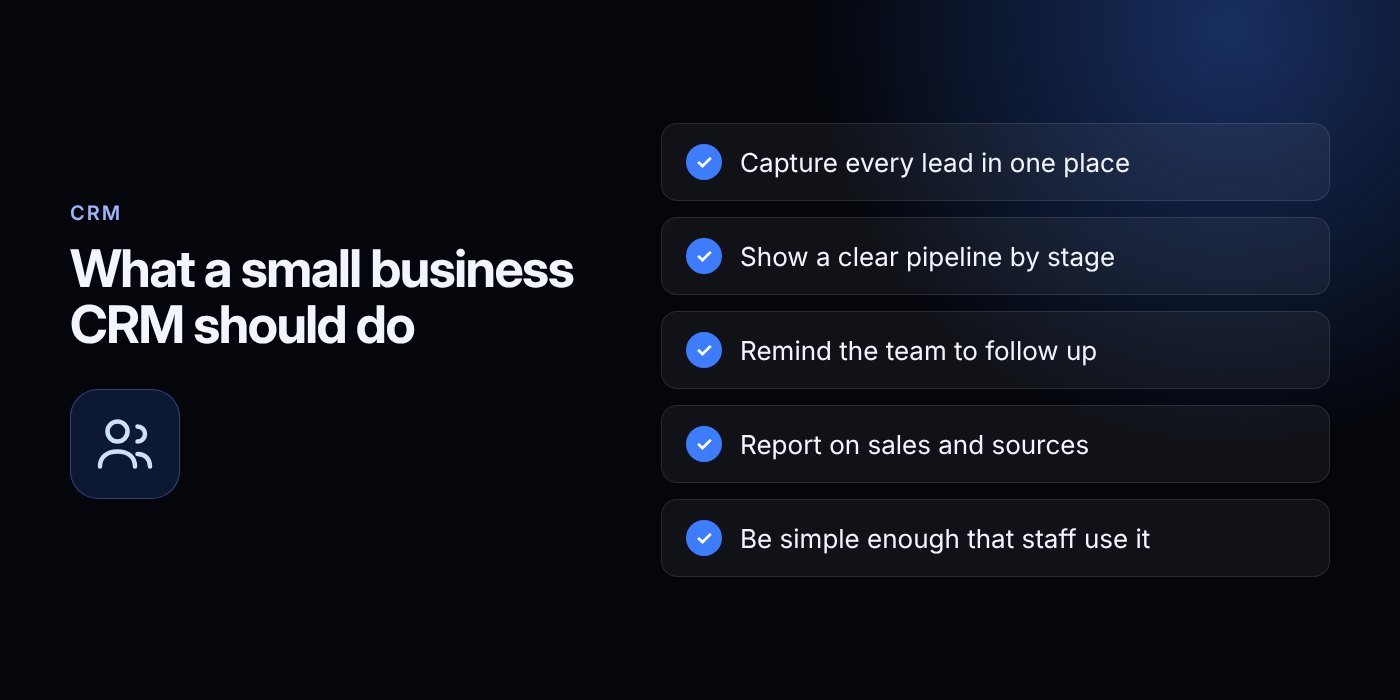
Choosing CRM software for small business does not need to be complicated. Start with the lead sources you already have, a short pipeline and clear follow-up rules. Then add integrations as your team gets comfortable.
If you want to see how this looks in practice, you can register for an account and ask for a free trial of the Business CRM. Our team will set up a demo and talk through your process. Good CRM software for small business should fit your team, not the other way round.
For a custom build or advice on WhatsApp and AI integrations, contact us. You can also email info@bizeagency.com or message us on WhatsApp at +1 321-318-8127, in English, Urdu or Hindi.
Frequently asked questions
Which CRM features matter most for a small team?
Start with automatic lead capture, a simple pipeline, follow-up reminders and a few basic reports. Add an export option so you are never locked in. A free trial lets you test whether your team will actually use it.
How long does it take before a CRM starts paying off?
Usually after the first month of consistent use. Setup takes 1 to 2 weeks for a ready-made system and typically 6 to 12 weeks for a custom one. These are estimates and depend on your data quality and how fast decisions are made.
Can my CRM log WhatsApp chats?
Yes, when it connects to the official WhatsApp Business Platform. New chats can create leads and conversations are saved on the customer record. Business-initiated messages need opt-in, and Meta approves templates and charges under its own rules.
What if my staff refuse to use it?
Show them what it saves them, keep required fields few and run your sales meetings from the CRM screen. Train in short sessions and agree a few written rules. When the owner uses it daily, the team follows.
Can I switch CRMs later without losing my data?
You can if you choose well. Ask any vendor whether you can export all your data in a standard format at any time, and whether an API is available. Do this before you sign, not after.
Should I host my CRM in the cloud or on my own server?
Cloud hosting is easier to maintain and reach from anywhere. A local install keeps data on your own server, which some businesses prefer for control or regulatory reasons. Our ready-made systems support both options.
Need help putting this into practice?
Tell us what is slowing your business down. We reply within one business day with a clear fix.