
School Management System Guide 2027: Choose and Run One
Wondering how to choose a school management system in 2027? Get plain answers on features, cost factors, privacy, migration and rollout for your school.
By Biz E-Agency Inc. TeamUpdated 21 min read
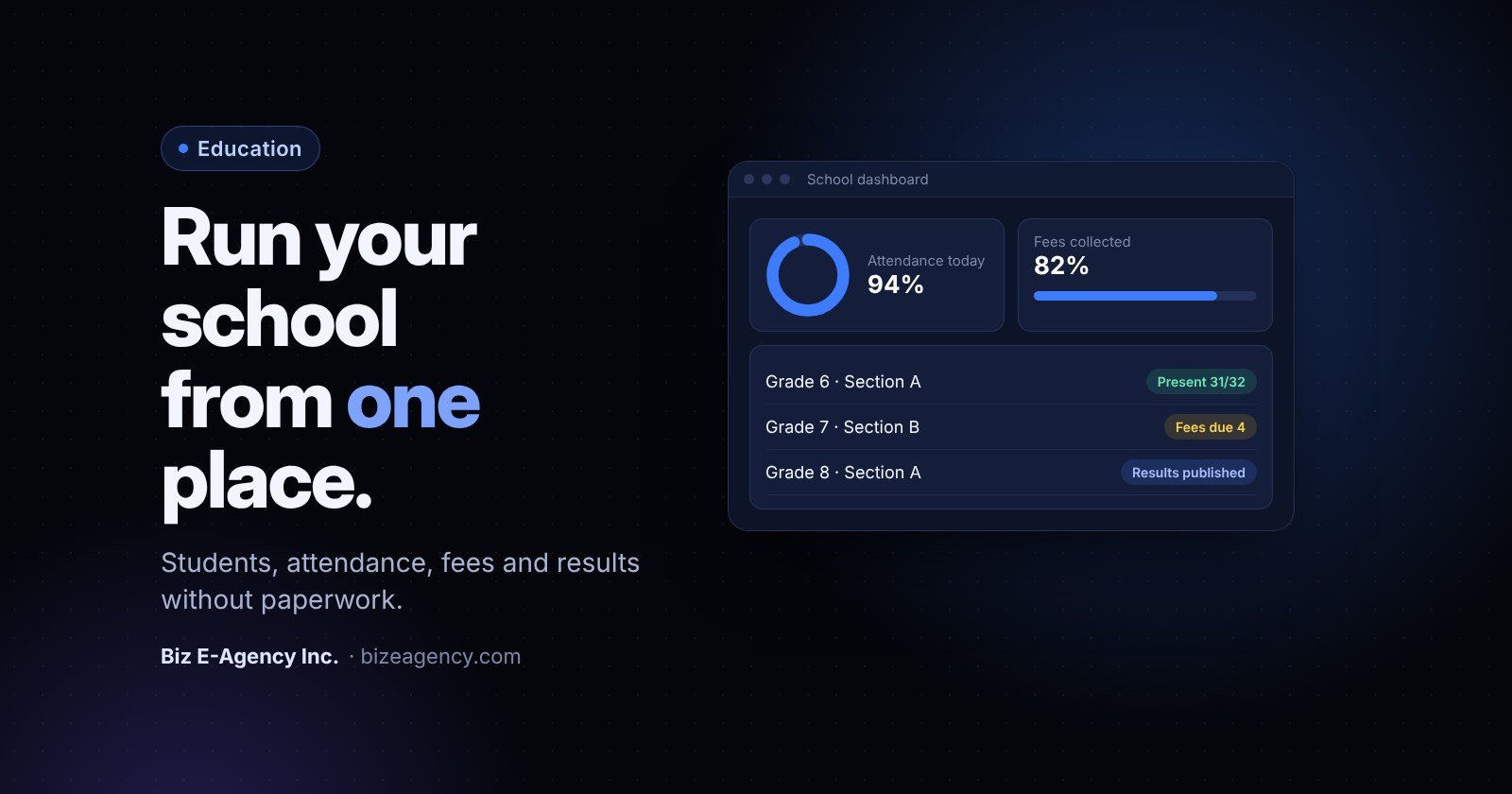
Quick answer: A school management system is software that keeps student records, attendance, fees, results, staff tasks and parent messages in one place. To choose one in 2027, list your daily workflows, test a trial with your own data, check privacy and backups, and compare total cost, not just the sticker price.
If your office still runs on paper registers and scattered spreadsheets, you are probably asking the same questions many principals ask. What does a school management system do? Do we need one? How do we move over without disrupting a term? This guide answers each question in plain language, so you can decide what to check before you buy in 2027 and how to run the system well afterwards.
What is a school management system?
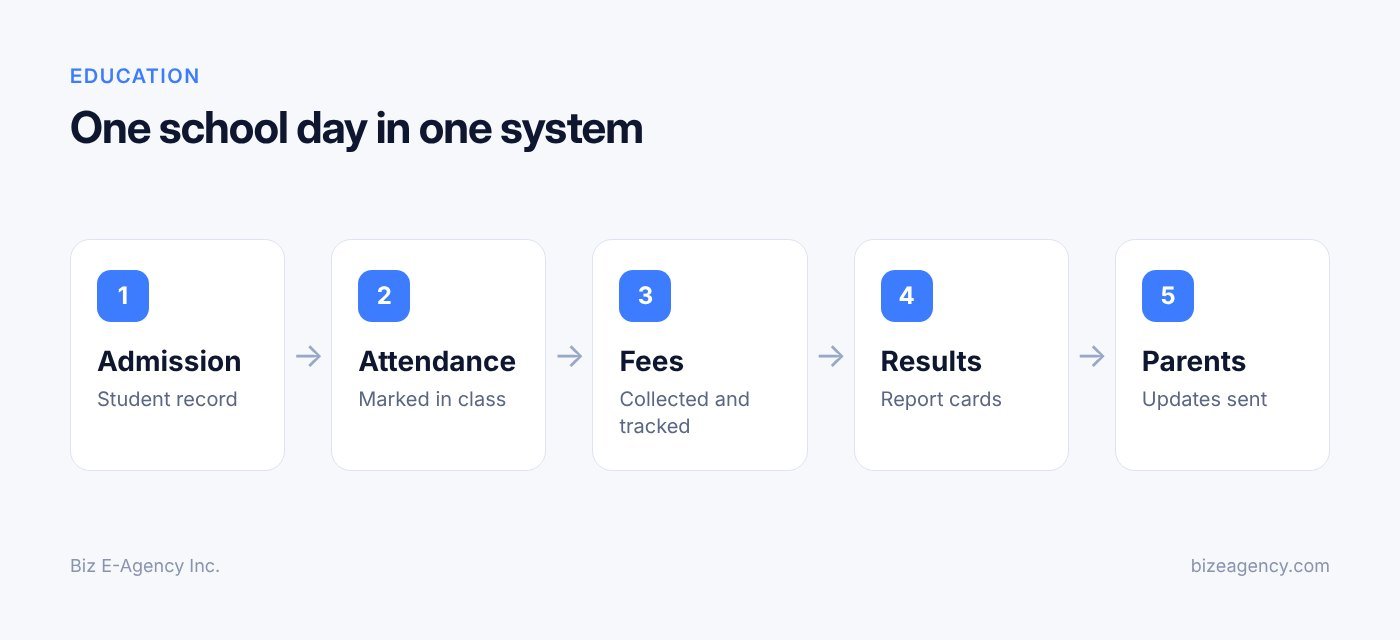
A school management system (often shortened to SMS, or called school ERP software) is one database that every part of your school reads from and writes to. You enter a student once, and that record feeds the class list, the attendance register, the fee ledger, the report card and the parent message.
That single record is the whole point. Most schools do not struggle because they lack effort. They struggle because the same child exists in five places: an admission file, a class register, a fee notebook, a marks spreadsheet and a WhatsApp group. When a family changes phone number or a student changes section, someone has to remember to update all five.
A good system removes that duplication. It also adds things paper cannot do: instant totals, automatic reminders, searchable history and role-based access. Your teacher sees their classes, your accountant sees fees and your principal sees everything.
Who in your school uses it?
Different people use different parts of the same system:
- Principal and owners: dashboards for enrolment, attendance, collections and results.
- Front office and admissions: enquiries, applications, admission forms and document checks.
- Teachers: attendance, marks entry, homework, remarks and class lists.
- Accounts staff: fee structures, invoices, receipts, discounts and dues.
- Parents and students: read-only views of attendance, fees, results and notices.
If you want to see these roles in a working demo, the Biz E-Agency School Management System puts students, attendance, fees and staff workflows in one system, and a free trial is available.
How do I know if my school has outgrown registers and spreadsheets?
You have outgrown them when more than one person needs the same data at the same time, or when errors start costing money. Registers and spreadsheets work for a few dozen students and one careful administrator. They fail as numbers grow.
Watch for these warning signs:
- Fee dues are known only to one accountant, and nobody else can answer a parent's question.
- Attendance is collected on paper, then retyped at the end of the week.
- Result preparation takes days of copying marks between sheets before every exam cycle.
- Two spreadsheets disagree about how many students are in a class.
- Parents hear about events late, or through informal chat groups.
- A spreadsheet was lost, overwritten or emailed to the wrong person at least once.
- Nobody can say who changed a mark or a fee amount, or when.
None of these is a disaster alone. Together they cost staff hours every week and create real risk, especially around money and personal data. If three or more sound familiar, it is time to look seriously at a school management system.
What features should a school management system have?
At minimum, it should cover student records, attendance, fees, results and parent communication. Feature lists can be long and confusing, so focus on the modules your school needs every single day, then treat the rest as extras.
Student records and admissions
The student profile is the foundation. It should hold personal details, guardian contacts, previous school, class and section, medical notes, documents and a history of changes. Good systems also handle admission enquiries, application forms, entrance test scores and the step where an accepted applicant becomes an enrolled student without retyping.
Look for bulk import, duplicate detection and custom fields. Every school has local requirements, such as a house system, a transport route or a government registration number.
How should attendance tracking work?
Attendance should take a teacher less than a minute. The best workflow is a simple list on a phone or tablet where the teacher marks exceptions: absent, late or on leave. Present is the default.
From there, the system should flag patterns, such as a student who is absent every Monday, and send an automatic note to the guardian. Monthly and term summaries should calculate themselves, because manual percentage sums are where registers cause the most arguments.
What should a fee module do?
Fees are where schools feel the pain first, because errors cost real money. A solid fee module supports:
- Fee structures by class, with tuition, admission, transport, exam and activity heads.
- Sibling discounts, scholarships and staff-child concessions.
- Monthly, termly or annual billing, plus one-off charges.
- Receipts with unique numbers, and a clear record of who collected what.
- A live list of defaulters and total outstanding dues by class.
- Late fee rules that apply automatically and can be waived with an audit trail.
Ask whether the system can record cash, bank transfer and card payments, and whether you can reconcile them against your bank statement at month end. If your school collects online, check which payment gateways it works with in your country.
Exams, results and report cards
Result modules replace the marks spreadsheet. Your teachers enter marks for their subject, the system applies your grading scale and weightings, and report cards generate for the whole class with ranks, attendance and remarks.
Check that it handles your actual grading method: percentages, letter grades, GPA, term weightings or continuous assessment. Report card templates should be editable so they match your printed format. Also confirm that marks can be locked after approval, so results do not change quietly after parents have seen them.
Staff and HR workflows
The useful basics are staff profiles, timetables, teacher attendance, leave requests and approvals, and payroll inputs. Even a light version helps: when a teacher is on leave, the system can show who is free to cover the class.
Role-based permissions matter here. A class teacher should not see the salary sheet, and the accountant should not edit marks.
Timetable, homework and academic planning
Many schools build the timetable in a separate tool. That is fine, as long as the system can import it. For daily use, homework and diary features are often more valuable than timetable generation, because they give parents a single place to check what was set.
Parent communication and reports
Parents want three things: to know what happened, to know what is due and to know whom to ask. The communication module should send notices, fee reminders, absence alerts and event announcements through the channels your parents already use, usually SMS, email, a parent app or WhatsApp.
If you plan to use WhatsApp, note that business messaging has its own rules, including opt-in and approved templates. Our WhatsApp Business API guide explains how that works.
Reports turn data into decisions. You want enrolment by class, daily attendance, fee collection against target, defaulter lists and result analysis by subject. Export to Excel or PDF still matters, because boards, auditors and education authorities often ask for specific formats.
Paper, spreadsheets or a school management system: which is better?
For anything beyond a very small school, a dedicated system wins on accuracy, access control and time saved. Spreadsheets are a reasonable first step, but they stop scaling when several people need the same data. Here is how the three approaches compare.
| Area | Paper registers | Spreadsheets | School management system |
|---|---|---|---|
| Student records | Physical files, slow to search | Searchable but scattered across files | One record, searchable, with history |
| Attendance | Marked on paper, totalled by hand | Typed in later, formulas can break | Marked once, totals and alerts automatic |
| Fee tracking | Receipt books and ledgers | Manual dues lists, error prone | Invoices, receipts and live dues by class |
| Report cards | Written or typed individually | Copy and paste between sheets | Generated from entered marks |
| Parent contact | Phone calls and printed notes | Contact lists, manual sending | Notices and reminders from the system |
| Access control | Whoever holds the key | Anyone with the file | Role-based permissions and audit trail |
| Data backup | Fire, damp and loss risk | Depends on who saves what | Scheduled backups, cloud or local |
| Cost | Low cash cost, high staff time | Low cash cost, rising staff time | Software cost, much lower staff time |
Nothing here says spreadsheets are wrong. They simply carry more risk once money and compliance are involved.
How do I keep student data private?
Start with the law that applies to your school, then check every vendor against a simple security checklist. Student records are among the most sensitive data an institution holds. They contain children's names, addresses, health information, family details and academic performance.
The specific laws differ by country, but the principles are consistent: collect only what you need, keep it accurate, limit who can see it, secure it and delete it when it is no longer required.
What does FERPA require in the United States?
FERPA protects the privacy of student education records for schools that receive US federal education funding. In general, it gives parents, and eligible students once they turn 18 or attend a postsecondary institution, the right to inspect and request correction of records. It also limits disclosing personally identifiable information from those records without consent, with defined exceptions.
The US Department of Education publishes the regulations and plain-language guidance at studentprivacy.ed.gov. One concept matters for software: a "school official" exception allows a school to share records with a vendor that performs a service for the school, but only if the vendor is under the school's direct control for the use and maintenance of the records. In practice, that means a written agreement that limits how the vendor can use the data.
What do UK schools need to know about UK GDPR?
In the United Kingdom, schools are data controllers under UK GDPR and the Data Protection Act 2018. That brings duties around lawful basis for processing, transparency (privacy notices), data minimisation, security, retention and the rights of pupils and parents to access data.
The Department for Education publishes data protection in schools guidance, and the Information Commissioner's Office provides UK GDPR guidance and resources that apply to any organisation. Both are worth reading before you sign with any software supplier.
What should I ask every vendor about security?
Whatever your country, ask every vendor, and check your own practice against, these points:
- Role-based access: each user sees only what their job requires.
- Audit logs: the system records who viewed, changed or exported data.
- Encryption: data is encrypted in transit and, ideally, at rest.
- Backups: regular, tested backups stored separately from the main system.
- Data location and ownership: you know where the data is hosted and you own it.
- Retention and deletion: you can remove records when the retention period ends.
- Written agreement: a contract or data processing agreement that limits how the vendor may use student data.
- Strong sign-in: unique accounts for every user, strong passwords and, where possible, a second step at login.
- Breach process: a clear plan for what happens if something goes wrong, including who is told and when.
Also think about people, not only software. Shared logins, unattended office computers and spreadsheets sent over chat apps are far more common causes of leaks than clever attackers. The UK National Cyber Security Centre offers practical cyber security resources for schools, and CISA's stop ransomware page explains how to prepare for one of the most disruptive threats facing education.
This section is general information, not legal advice. Check your local rules with a qualified adviser, especially where your school operates under more than one jurisdiction.
Should my school choose a cloud or a local system?
Choose cloud if you want remote access and easy updates. Choose local if your internet is unreliable or policy requires data to stay on site. Neither is always better.
Cloud hosting means the system runs on a provider's servers and staff open it in a browser. It gives remote access for teachers and parents, easier updates and off-site backups. It needs a reliable internet connection and a clear understanding of where the data is stored.
Local installation keeps the system on a computer or server inside the school. It can work well where internet is unreliable. You become responsible for hardware, backups, security updates and power cuts.
Some schools use a mixed approach: local for the office, with scheduled backups sent to a secure cloud location. Biz E-Agency's ready-made systems can be set up as cloud or local installs, so the decision can follow your situation instead of forcing it.
Whichever you choose, ask a simple test question: "If our server or laptop disappeared tonight, how long until we are working again?" A good answer includes tested backups and a named person who knows the restore steps.
How do I choose a school management system, step by step?
Work from your own needs, not from a vendor's demo. Follow these six steps before you buy in 2027.
- Write down your workflows. List what your school does in a normal term, in order: admissions, class allocation, daily attendance, monthly fee billing, exams, report cards, parent meetings, staff leave. For each, note who does it, how long it takes and where it goes wrong.
- Separate must-haves from nice-to-haves. Must-haves usually include student records, attendance, fee management and report cards. Nice-to-haves might be a parent mobile app, library, transport tracking or hostel management.
- Check fit with your local context. Confirm support for your grading scale, academic calendar, currency, languages and fee practices.
- Run a trial with real scenarios. Enrol a student mid-term, apply a sibling discount, mark attendance on a phone, enter marks and print a report card.
- Ask the hard questions in writing. Cover data ownership, export, hosting, backups, training, support and what happens to your data if you leave.
- Compare total cost. Include setup, migration, training, hosting, support and the staff time you will save.
Why separate must-haves from nice-to-haves?
Do not pay for modules you will not use in the first year, but do confirm they can be added later. A long feature list means little if your teachers find the screens confusing.
What does a good trial look like?
Do not just watch a demo. Use a free trial or a demo environment and test your own situations. If your accountant and two teachers can complete those tasks without help, the system is usable.
Which hard questions should I get answered in writing?
- Who owns the data, and can we export all of it at any time?
- Where is data hosted, and how are backups handled?
- What does training include, and is support available after go-live?
- What happens to our data if we stop using the service?
- Can the system be branded and customized for our school?
- How are pricing, upgrades and support charged, and what is confirmed in writing?
How much does a school management system cost?
The cost depends on a handful of factors, so any quote you receive should show how each one is handled. There is no honest single price for every school, and a number without context can mislead you.
The main cost factors are:
- School size: the number of students, staff and campuses.
- Modules: the core set versus extras such as transport, library or hostel.
- Hosting: cloud subscription versus local hardware and upkeep.
- Customization: your branding, report card formats and special fee rules.
- Data migration: how much history you bring across and how clean it is.
- Training and support: the number of sessions and the support period after launch.
Compare total cost, not just the sticker price. A cheaper tool that needs constant workarounds can cost more than a better fit. If your needs are unusual, compare a ready-made system against custom work. Our custom software development guide explains when each makes sense.
Biz E-Agency confirms pricing in writing before work starts, and payments are split into milestones. Ask every vendor for the same.
How do I roll out a school management system without disruption?
Plan the rollout in phases, start at a natural break in the calendar and name one owner inside the school. Ready-made systems can often be deployed in one to two weeks, but the preparation around the software decides whether adoption goes smoothly. Treat the timeline below as an estimate that depends on your data and your staff.
| Phase | What happens | Who is involved |
|---|---|---|
| 1. Discover | Confirm workflows, modules, branding and grading rules | Principal, office lead, vendor |
| 2. Prepare data | Clean student, guardian, staff and fee data | Office staff, accountant |
| 3. Configure | Set classes, fee structures, grading scales, roles and templates | Vendor and school admin |
| 4. Migrate | Import records and opening fee balances, then check samples | Vendor, accountant, office |
| 5. Train | Role-based sessions for staff and a short guide for parents | All users |
| 6. Pilot | Run a class or a month in parallel with the old method | Selected teachers and office |
| 7. Go live | Switch fully, with extra support in the first weeks | Everyone |
When is the best time to go live?
Do not launch in the middle of exams or during the busiest fee-collection week. The ideal moment is the start of a term, or the start of a fee cycle, when balances reset naturally and teachers are building new habits anyway.
Who should own the project inside the school?
Every successful rollout has a person who owns it: usually the office manager, vice principal or IT coordinator. That person gathers requests, answers first-line questions and tells the vendor what is not working. Without one, small problems become excuses to return to the old way.
Should I run the old and new methods in parallel?
Yes, but only for a short, defined period. For one month or one fee cycle, keep a light backup of the old process, such as the receipt book, while the new system runs. Compare the totals. When the numbers match, stop the old method completely. Parallel running that never ends doubles the work and kills adoption.
How do I migrate from registers and spreadsheets?
Treat migration as a cleaning exercise first and a technical task second. Bad data in means bad reports out, and data migration is the step schools fear most. It is manageable with a clear order of work.
How should I clean my data before importing?
Fix what you already know is wrong:
- Remove duplicate students and merge double entries.
- Standardise names, dates of birth and class names (for example, "Grade 5-A" everywhere, not three variations).
- Verify guardian phone numbers and email addresses, since these drive every message.
- Decide which historic data you truly need, and do not import ten years of paper just because you can.
What should I bring across?
Most schools migrate current student and guardian details, current staff details, class lists, fee structures and opening balances. Past results and attendance can often be archived or imported selectively. Keep older paper records safely stored, in line with your retention rules, instead of retyping everything.
How do I handle opening fee balances?
Fee dues are the highest-risk part of any migration. Agree a clear cut-off date, and import each family's outstanding balance as of that date. Have the accountant check at least one family per class against the old ledger. Finding a mistake now is cheap. Finding it after reminders go out to parents is not.
How do I check the import worked?
Sample the data. Open ten student profiles and compare them with paper files, check class totals against the old registers, and verify that fee totals match the ledger. Fix patterns, not just single errors. If the same mistake appears in three records, it usually means a mapping problem in the import.
Biz E-Agency offers data migration and staff training before go-live for its ready-made systems, so your team does not need to handle the import alone.
How do I train teachers and staff to use it?
Train by role, use real tasks and keep sessions short. A school management system fails for human reasons more often than technical ones. Teachers are busy, tired at the end of the day and sceptical of tools that add work.
Train by role, not by feature
A teacher needs about four skills: log in, mark attendance, enter marks and read a class list. An accountant needs a different set: create invoices, collect fees, print receipts and run defaulter reports. Short role-based sessions of 45 to 60 minutes beat one long all-staff lecture.
Use real tasks and a one-page guide
Let teachers practise on their own classes in a safe training copy. People remember what they have done with their own hands. Then give them a single printed page with screenshots for the three most common tasks. It saves dozens of questions.
Create a few champions
Pick two or three confident teachers to help colleagues in the first weeks. Peer help is faster and less embarrassing than going to the office. Recognise their effort, because it is extra work.
What support do I need after go-live?
The first two weeks decide whether the system sticks. Schedule short check-ins, collect the questions people ask and add the answers to your guide. Our projects follow a handover, training and support window approach, and monthly maintenance plans are available if you want ongoing help.
How should I communicate with parents through the system?
Decide what goes out automatically, respect consent and keep sensitive details private. Parents judge a school partly by how well it communicates. The system makes communication consistent, but you still choose what to send and when.
What should go out automatically?
Good candidates are absence alerts, fee due reminders, receipts, exam timetables, result notifications and event notices. Keep messages short, polite and specific. A fee reminder should state the amount, the due date and how to pay.
How do I respect consent and privacy?
Collect parents' contact preferences at admission, and record consent for the channels you use. Give parents a simple way to update their numbers. Avoid sending marketing-style content to a channel parents gave you only for school notices.
A message about attendance or fees should go to the registered guardian, not to a shared group. Never post individual results, medical details or dues in a group chat. Where possible, send a short notice and let the parent sign in to view details.
Can parents reply?
A parent portal or a clear contact route for questions reduces phone calls. Even a simple rule helps, such as "we reply to parent messages within one working day". If you later add AI-assisted replies or shared inboxes, keep a human in the loop for anything sensitive.
What mistakes should I avoid?
Schools repeat the same errors when adopting a school management system. Avoiding these puts you ahead.
- Buying on features alone. A long list of modules means little if teachers find the screens confusing.
- Skipping data cleanup. Importing messy data creates messy reports from day one.
- Launching mid-term without a plan. Start at a natural break and name an owner.
- Training once. One session at launch is not enough. Plan refreshers and new-staff onboarding.
- Ignoring privacy. Check contracts, access levels and backups before you enter a single child's record.
- Giving everyone admin access. Least privilege is a simple, strong protection.
- Never reviewing. Revisit workflows each term and switch on additional modules once the basics are stable.
How do I know if it is working?
After a term or two, check the results against the problems you wanted to solve. A short review with your leadership team is enough. Ask these questions:
- Is attendance being marked on time every day?
- How long did report card preparation take compared with last year?
- Can the accountant produce a defaulter list in minutes?
- Are parents asking fewer routine questions by phone?
- Do teachers use the system without reminders?
- Have there been any access or privacy concerns?
If something is not improving, the cause is usually training, data quality or a workflow that needs adjusting, and those are fixable.
What will change in 2027 and 2028?
Nobody can predict this precisely, so treat the points below as things to watch for, not promises. They are useful questions to put to any vendor you are considering for 2027 and 2028.
- More expectation of mobile access. Expect parents and teachers to want attendance, fees and notices on a phone, so check how the mobile experience works today.
- More AI-assisted features. You will likely see AI help with drafting notices, summarising attendance patterns or answering routine parent questions. Watch for clear human review on anything sensitive.
- Tighter attention to student data. Privacy rules and school policies are likely to keep evolving. Choose a vendor who will document where data is stored and who can see it, and re-check the official guidance linked above each year.
- Closer links with messaging channels. Schools may rely more on WhatsApp or similar tools for parent contact. Watch for platform rules on opt-in, templates and fees, which can change.
- Easier data export. Expect more schools to ask for full export of their data as a standard contract term, so they are never locked in.
The practical lesson: pick a system that can be updated and extended, with a vendor that confirms terms in writing, rather than one that is perfect for today only.
Is the Biz E-Agency School Management System right for my school?
It may be, if you want a ready-made system that can be branded and customized. Biz E-Agency Inc. builds business systems, and the School Management System brings students, attendance, fees and staff workflows into one system. It is available as a cloud or local install, with data migration and staff training before go-live, and a free trial where the team sets up a demo for you.
Ready-made systems typically take one to two weeks to deploy, depending on your data and requirements. If your school needs something beyond the standard system, such as an integration or a special reporting format, you can explore custom options through our services or browse the wider range of software products.
If you also run a business arm or a related operation, the Business CRM and our CRM software guide for small business may help with managing admissions enquiries and relationships. You can learn more about the team on our about page or see examples on the projects page.
Next steps
Moving from registers and spreadsheets to a school management system is easier when you break it into small, clear steps.
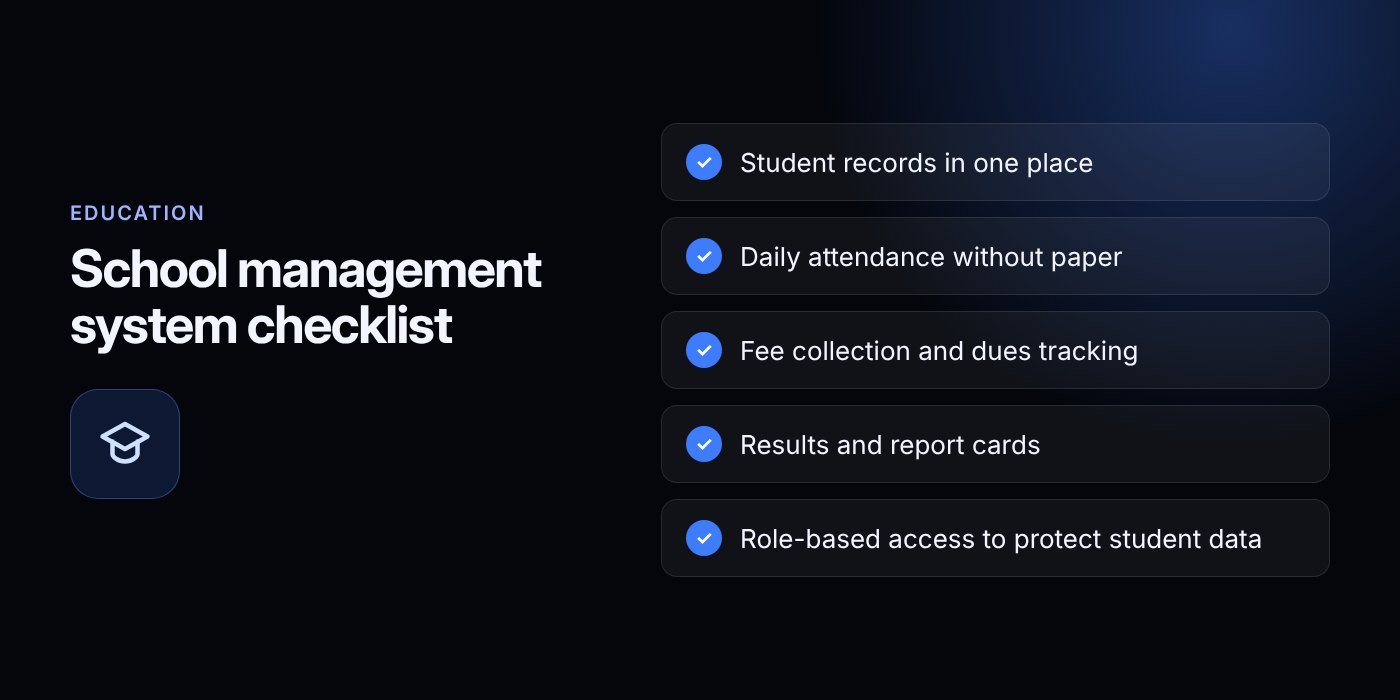
- List your daily workflows and the three biggest pain points.
- Decide your must-have modules and your preferred hosting model.
- Clean your student, guardian and fee data before any import.
- Try a system with real scenarios and ask the privacy questions in this guide.
- Plan training by role, name an internal owner and pick a start date at the beginning of a term.
If you would like to see the system working with your own class and fee structure, contact our team to arrange a free trial and demo. You can also create an account to get started, or message us on WhatsApp at +1 321-318-8127 or by email at info@bizeagency.com. We support English, Urdu and Hindi.
Frequently asked questions
Do small schools really need software?
Not always on day one. A very small school can manage with careful spreadsheets. Once several people need the same records, or fees and report cards take days each cycle, software saves time and reduces errors.
Can teachers use it on a phone?
Many systems let teachers mark attendance and enter marks from a phone or tablet. Test this during your trial with your own teachers, because the mobile experience differs a lot between products.
Will we lose our data if we switch vendors later?
You should not, if you ask the right question before signing. Get written confirmation that you own your data and can export all of it at any time, in a usable format.
How long does it take to start using a new system?
Ready-made systems can often be deployed in one to two weeks, but data cleaning and training decide the real timeline. Biz E-Agency gives estimates once it knows your data and requirements.
Is it safe to keep children's records in the cloud?
It can be, when the vendor offers role-based access, encryption, tested backups and a written agreement limiting data use. Check the rules that apply to your country and ask where the data is hosted.
Can I try one before paying?
Yes. Biz E-Agency offers a free trial where the team sets up a demo for your school. Use it to test real tasks, such as a sibling discount, attendance on a phone and a report card.
Need help putting this into practice?
Tell us what is slowing your business down. We reply within one business day with a clear fix.