
WhatsApp Business API Guide 2027: Setup, Templates, Pricing
Wondering how the WhatsApp Business API works in 2027? Get plain answers on verification, templates, opt-in, the 24-hour window, costs and AI agents.
By Biz E-Agency Inc. TeamUpdated 22 min read
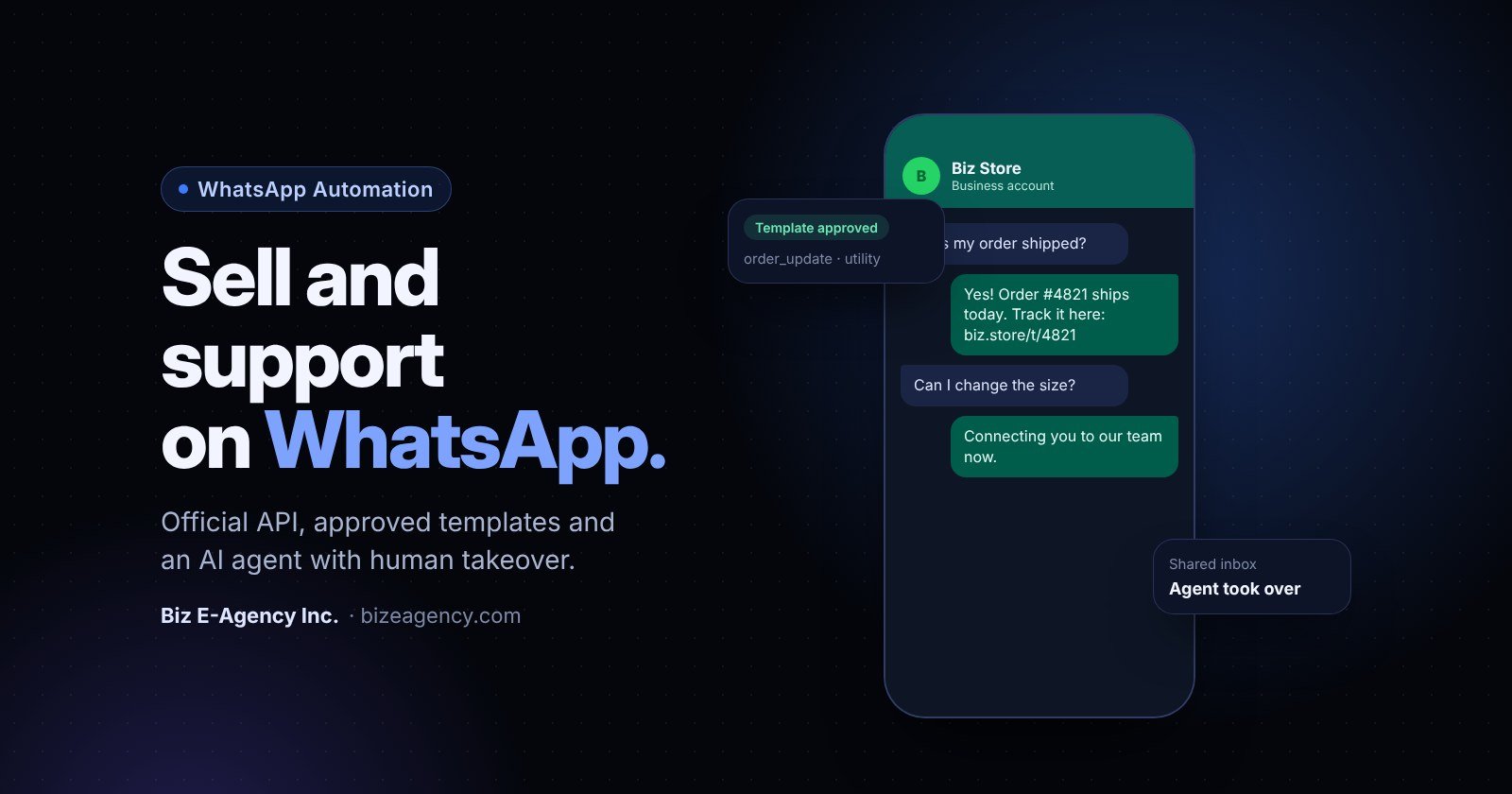
Quick answer: The WhatsApp Business API is Meta's official way to connect WhatsApp to your own software, so a whole team, a CRM or an AI agent can use one business number. In 2027 you need Meta business verification, opt-in from every contact, approved templates for business-started chats, and a budget for Meta's per-message fees plus your provider's tooling.
If you are asking yourself whether the WhatsApp Business API is right for your business, this guide answers the questions owners ask us most. It covers how it works, what it needs, what it costs in general terms and how to set it up without getting blocked. Read it before you buy in 2027.
Pricing and platform rules are set by Meta and can change. Always check the official pages linked below before you plan a budget.
What is the WhatsApp Business API?
Short answer: It is the common name for the WhatsApp Business Platform, the product Meta offers to companies that want to send and receive WhatsApp messages through software instead of one phone.
Its main product today is the Cloud API, which Meta hosts for you. You do not need to run your own servers to receive messages. Meta's Cloud API documentation describes how it works.
Think of the API as a doorway. Your software sends a request to Meta, and Meta delivers the message to the customer's WhatsApp. When a customer replies, Meta sends the message to your system as a webhook, which is an automatic notification to a web address you control. If your system is offline, Meta retries those notifications for up to seven days.
The API has no chat screen of its own. You connect it to something that does: a shared inbox, a CRM, a helpdesk or an AI agent. That is why most businesses work with a provider or a development team. Our AI automation service covers exactly this connection work.
Is the Cloud API different from the on-premises API?
Yes. Older guides mention an on-premises API, which companies had to host themselves. The Cloud API replaced it as Meta's focus, so new projects should plan around the Cloud API. If a vendor still offers the older option, ask them why before you sign.
How fast can the API send messages?
Meta's documentation states that each business number can send up to 80 messages per second by default, with automatic upgrades available up to 1,000 per second. Most small and mid-size businesses never come close to those limits. Your real limit is usually the number of customers who have agreed to hear from you, not the technical speed.
What is the difference between the WhatsApp Business app and the WhatsApp Business API?
Short answer: The app is a free phone app for one person or a very small team. The API is a separate product that connects WhatsApp to your software, with many agents, automation and integrations, but with Meta's message fees and more setup.
The WhatsApp Business app is the one many owners already use on their phone. Choosing the wrong product is the most common early mistake.
| Feature | WhatsApp Business app | WhatsApp Business API |
|---|---|---|
| Who it suits | Solo owners and very small teams | Teams, growing businesses, automation |
| Interface | Phone app, plus limited linked devices | None built in, you connect your own software |
| Team access | Very limited | Many agents through a shared inbox |
| Automation | Basic away and greeting messages | Chatbots, AI agents, workflow triggers |
| Integrations | Minimal | CRM, POS, helpdesk, order systems |
| Broadcasts | Small lists, manual | Approved templates sent to opted-in contacts |
| Setup effort | Minutes | Days to a few weeks, depending on verification |
| Cost | Free to use | Per-message fees set by Meta, plus tooling costs |
Is the app enough for my business?
If one person answers every chat from a phone and you get a few dozen messages a day, the app is fine. It has a catalog, quick replies, labels and a business profile. Do not pay for the API just because it sounds more serious.
When should I move to the API?
Move when any of these are true:
- More than one person needs to answer from the same number.
- Customers wait too long because messages arrive at night or during peak hours.
- You want an AI agent to answer common questions.
- You need order, booking or payment updates sent automatically.
- You want WhatsApp data inside your CRM or POS.
- You send promotions and need to do it within Meta's rules.
One practical warning: a phone number normally cannot be used in the app and the API at the same time without following Meta's migration rules. Plan the switch carefully so you do not lose chat history or customer access. Many companies use a fresh number for the API and keep the app number for personal-style conversations.
Do I need Meta business verification for the WhatsApp Business API?
Short answer: In practice, yes. Verification confirms your company is a real, legal entity, and it is usually needed to raise your messaging limits and grow beyond the starting tier. You can test without it, but you will hit limits quickly.
It is done inside Meta Business Suite (the Business Settings area). You submit your legal business name, address, phone number, website and supporting documents such as a registration certificate, tax record or utility bill.
Verification matters for three reasons. It lifts your messaging limits over time, it supports a more trusted business profile and it is often needed before you can grow beyond the starting tier.
How do I avoid verification delays?
Most rejections come from small mismatches. Use this checklist before you submit:
- The legal name on your documents must match the name entered in Meta exactly.
- The address must match the document, including suite or unit numbers.
- Use a website on your own domain that shows your business name and contact details.
- Make sure your domain and email address belong to the business, not a personal account.
- Upload clear, complete, current documents, not cropped photos.
If your business is not yet registered, finish registration first. Company registration is handled by our related company, Biz E-Formations Inc., so ask us if you need a pointer.
Is business verification the same as the green tick?
No. Business verification is different from the official business account badge. The badge is a separate review at Meta's discretion, and it is not required to use the API. Do not pay anyone who promises you a green tick.
How do I register a phone number and display name?
Short answer: Choose a number you control for the long term, verify it with a code sent by SMS or voice call, then set a display name that matches your real trading name and complete your business profile.
Every WhatsApp Business API account uses a business phone number registered with the platform. Meta's documentation explains the current steps, so check them on the day you register.
Which number should I choose?
Pick a number you control for the long term. It can be a mobile number or a landline that can receive a verification call. Many businesses use a local number for each country they serve, because customers trust local numbers more.
Before registering, check whether the number is already active on a personal or business WhatsApp account. If it is, you will need to delete that account or follow the supported migration steps first. Do this on a quiet day, because a mistake can interrupt live customer chats.
What are the display name rules?
Your display name is what customers see. It must follow Meta's naming rules, which broadly require that it represents your business and is not generic or misleading. Use your real trading name. Avoid extra punctuation, all capitals and claims such as "official" unless you have the right to them.
What should my business profile include?
A complete profile builds trust. Fill in:
- Business description in one or two clear sentences
- Category
- Address and website
- Support email
- Profile photo using your logo
What are WhatsApp message templates and how does approval work?
Short answer: Templates are pre-written messages that Meta must review and approve. You need them whenever you start a conversation or message a customer outside the 24-hour customer service window.
Examples are appointment reminders, delivery notices and promotions. Meta's message template documentation says every template goes through review. Its status starts as pending, then becomes approved or rejected. Meta also checks the category you chose.
What are the three template categories?
Meta groups templates into marketing, utility and authentication. The category affects price and rules.
| Category | Purpose | Examples |
|---|---|---|
| Marketing | Promotion, offers, re-engagement | Sale notice, new menu, abandoned cart reminder |
| Utility | Updates about something the customer asked for or did | Order confirmation, booking reminder, delivery update |
| Authentication | One-time passcodes | Login or verification code |
Meta may recategorize a template if it believes you chose the wrong category. A promotion disguised as a utility message is a common reason. Pick honestly.
How do I write templates that get approved?
Follow these habits:
- Write clear, specific text that explains why the customer is receiving it.
- Use variables for the name, order number or date, and give realistic sample values when you submit.
- Avoid vague copy such as "Hello, do you have a minute?"
- Do not ask for sensitive data such as card numbers or passwords.
- Keep promotional claims truthful and easy to verify.
- Add an easy opt-out option on marketing messages.
What if my template is rejected?
Read the reason, change the text and resubmit. Meta's documentation notes that approved templates can be edited, with limits: up to 10 times in a 30-day period, or once in 24 hours. Keep a record of which version is live so your team does not send old wording by mistake.
What happens to templates after approval?
Templates and phone numbers are monitored. If many customers block or report your messages, Meta can lower your limits or pause templates. Good targeting and honest content protect your number far better than any technical trick.
What are the opt-in rules for the WhatsApp Business API?
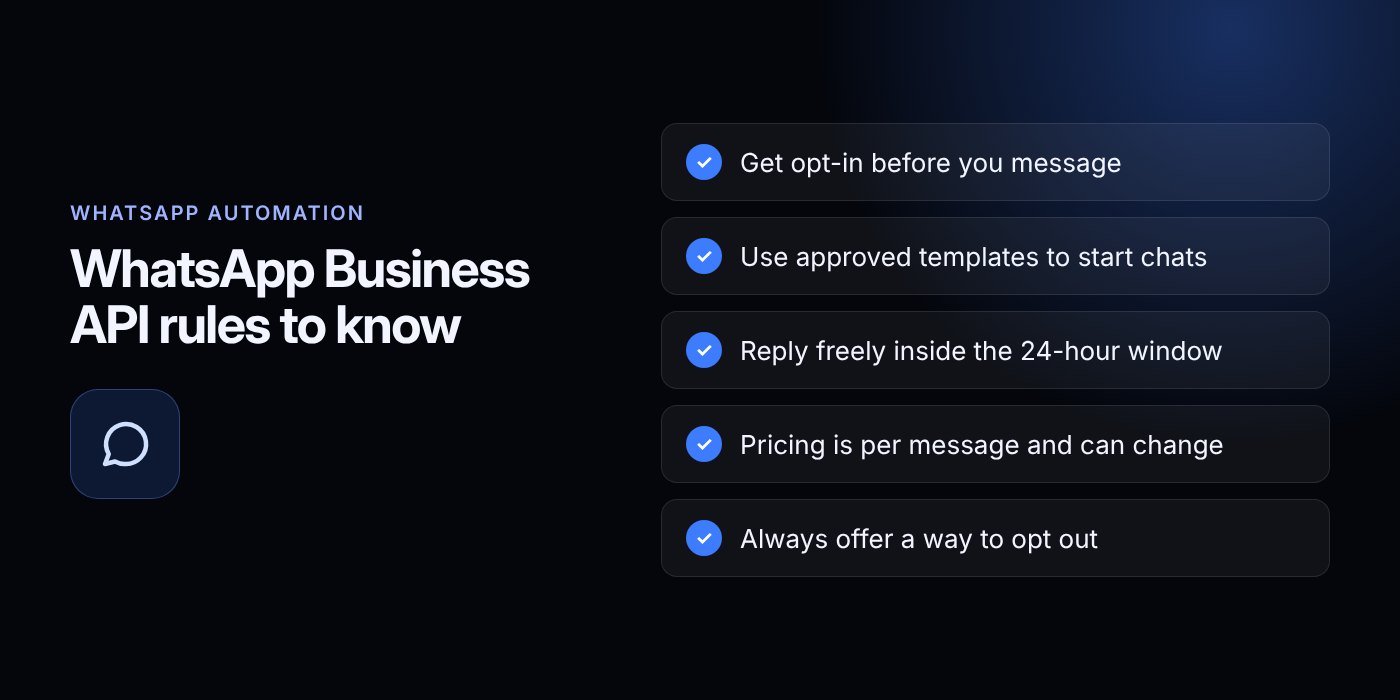
Short answer: You may only message people who gave you their phone number and agreed to hear from you on WhatsApp, and you must honor opt-out requests.
Opt-in is the rule that matters most. WhatsApp's Business Messaging Policy sets it out. Buying a phone list or scraping numbers breaks this rule. It also damages your quality rating fast, because people who never heard of you will block the number.
What does good opt-in look like?
A strong opt-in is clear, recorded and specific. It tells people what they will receive and how often. The policy's best practice is to separate opt-ins by message type, so someone who agreed to delivery updates is not assumed to want promotions.
Common ways to collect opt-in:
- A checkbox at checkout or on a booking form with plain wording
- A "Message us on WhatsApp" button that starts a chat
- A paper or tablet form in a store or clinic
- A reply to a QR code that invites the customer to start the chat
- A line in your sign-up flow in your business CRM
Store the date, the source and the wording shown. If a customer disputes it later, you can prove consent.
How do I handle opt-out?
Make leaving easy. Offer a clear reply such as "STOP" on marketing messages and process it right away. Update your CRM so no other tool keeps sending to that person. Ignoring opt-outs is the quickest road to a lower rating.
Do local laws also apply?
Yes. Meta's policy is not the only rule. Depending on where your customers live, laws on marketing consent and data protection may apply, such as GDPR in Europe and the UK. Ask a qualified adviser if you are unsure. This article is general guidance, not legal advice.
What is the 24-hour customer service window?
Short answer: It is the period when you can reply to a customer with normal, free-form messages. It opens when the customer messages you and generally lasts 24 hours from their latest message. After it closes, you can only send an approved template.
Each new customer message renews the window. Inside it, you can send text, images, documents and interactive buttons without a template.
Why does the window shape my workflow?
The window pushes you to answer quickly. A customer who messages at 6 p.m. and hears nothing until the next evening may find the window already closed. That is a practical reason to use an AI agent for first replies. The customer gets an answer, and the window stays open for your team to continue.
Is there a free entry point?
Meta's pricing documentation describes a 72-hour free entry point window. It applies when a customer starts a chat from a Click-to-WhatsApp ad or a Page call-to-action button. During that period, rules about messaging are more relaxed. Read the current details on Meta's page, because promotions and rules around ads can change.
How do I plan around the window?
- Show the time left on each chat in your shared inbox.
- Alert agents when a window is close to expiring.
- Keep a utility template ready for follow-ups, such as "We still need your delivery address."
- Do not use templates to bypass the window for unrelated promotions.
How much does the WhatsApp Business API cost?
Short answer: Meta charges per message, based on the template category and country, and your provider or developer adds fees for software, setup and support. We do not quote numbers because Meta changes its rates, so check the official pricing page.
The WhatsApp Business API does not have a flat monthly fee from Meta. Use Meta's official pricing page for current rates.
According to that page, since July 1, 2025, pricing is per message, not per conversation. Billing depends on the template category: marketing, utility or authentication. Messages you send that are not templates are free inside the 24-hour customer service window. Utility templates are also free when sent inside an open customer service window.
What costs should I budget for?
Your total cost usually has several parts:
- Meta's per-message charges for templates
- Platform or inbox software from your provider
- One-time setup and integration work
- AI usage fees, if your agent uses an external language model
- Monthly maintenance and support
- Staff time to monitor chats
How can I keep costs sensible?
Reply inside the window where possible, since free-form replies in the window cost nothing in Meta fees. Send only useful templates to opted-in people. Segment your lists so offers go to people likely to care. Review your reports monthly and drop templates that nobody responds to.
How do I check what a provider charges me?
Ask any provider to show you how Meta's fees are passed through, so you know what is Meta's charge and what is theirs. Ask for the pricing in writing, and ask what happens to your bill if Meta changes its rates. Remember that pricing and rules can change.
How does a shared inbox with an AI agent and human takeover work?
Short answer: A shared inbox lets several team members work from one WhatsApp number. An AI agent answers common questions at any hour, and when a customer asks for a person or the topic is sensitive, the chat passes to your team with the full history.
A shared inbox is the first feature most growing teams want. Each agent works on their own computer or phone, but customers see one business number.
What should a good shared inbox include?
- Assignment of chats to agents or departments
- Internal notes that customers cannot see
- Saved replies and template shortcuts
- Labels, status and search
- Customer history linked to your CRM
- A visible customer service window timer
- Reports on response time and volume
How do I connect the inbox to my other systems?
The inbox is most useful when it knows who the customer is. When a message arrives, the system should match the phone number to a record. Your agent then sees past orders, open tickets and notes. Our business CRM is one option, and we can also connect the API to other systems. See our guide to CRM software for small business for more on that side.
Agree on a few simple team standards too: a target first-response time, a tone of voice, a hand-off process for complex cases and a rule that no agent shares personal numbers. Good tooling does not fix poor habits.
What can an AI agent do on WhatsApp?
An AI agent reads the customer's message, finds the relevant information from your approved sources and replies in the customer's language. It can also collect details, book slots or create a support ticket. The key design principle is that the AI must never trap the customer. A human must be able to take over at any time.
It handles these well:
- Opening hours, locations and basic policies
- Product, menu or service questions
- Order and booking status lookups
- Collecting lead details before a human follows up
- Reminders and simple confirmations
- Answers in English, Urdu or other languages your team supports
Which chats should go straight to a person?
Send these to your team immediately:
- Complaints and refund disputes
- Anything involving health, legal or financial advice
- Customers who ask for a human
- Cases where the AI is unsure or sees a repeated misunderstanding
- High-value sales opportunities
How does human takeover work?
When a trigger fires, the system pauses the AI on that chat and alerts an agent in the shared inbox. The agent sees the full conversation and replies as normal. When the issue is solved, the agent can hand the chat back to the AI or close it.
How do I keep the AI accurate?
Give the agent a controlled knowledge base: your price list, policies and FAQs, written and checked by your team. Tell it what it must not do, such as quoting discounts you have not approved. Review chat logs weekly in the first month and fix wrong answers at the source. If you are also exploring phone automation, read our guide on the AI voice agent for business.
How do I send WhatsApp broadcasts without getting blocked?
Short answer: Send approved templates only to contacts who opted in for that type of message, keep the frequency low, include an easy opt-out and watch replies. Poor quality can lead to lower limits.
A broadcast is a message sent to many opted-in customers at once. Done well, broadcasts bring back customers and fill quiet days. Done badly, they get your number restricted.
What are the rules for responsible broadcasts?
- Send only to contacts who opted in for that type of message.
- Use the right template category and do not disguise promotions.
- Personalize with the customer's name and relevant details.
- Limit frequency. Weekly is plenty for most businesses, and less is often better.
- Include a clear way to opt out.
- Send at sensible local times, not late at night.
- Watch replies. If many people ask to stop, change your approach.
What broadcast ideas respect customers?
- Notice of a new product to people who asked to be told
- A booking reminder with a reply button
- A restock alert for a product someone enquired about
- A service reminder, such as an annual check-up
- A thank-you with a review request after a purchase
How do I measure a broadcast?
Track delivery, replies, opt-outs and sales that came from the chat. Delivery counts alone mean little. If a template gets few replies and several blocks, rewrite it or retire it. No one can promise results from a broadcast, so test small before sending to everyone.
Which businesses use the WhatsApp Business API, and how?
Short answer: Any business that talks to customers by chat can benefit, especially restaurants, retailers, schools, clinics, real estate agents, travel firms and professional services. The best uses are updates a customer expects, plus fast answers to common questions.
How do restaurants and cafes use it?
Send order confirmations, table booking reminders and delivery updates. An AI agent can answer menu and opening hours questions. Link it to your restaurant POS so orders from chat reach the kitchen. Our restaurant POS system guide explains the wider setup.
How do retail and e-commerce shops use it?
Share order status, shipping updates and return instructions. Send back-in-stock alerts to customers who asked. A mart and retail POS can supply stock and order data for those messages.
How do schools and academies use it?
Send fee reminders, attendance notices and event updates to parents who opted in. A school management system can feed names, classes and due dates into templates.
How do clinics and hospitals use it?
Use it for appointment reminders and follow-up scheduling. Be careful with health information. Keep messages minimal, avoid sending sensitive details and check local privacy rules. A hospital CRM helps keep patient records in a controlled system, not in chat threads.
What about real estate, travel and professional services?
Real estate teams can qualify enquiries, send listing details and book viewings. An AI agent can collect budget and location preferences, then pass serious leads to an agent. Travel and service firms can send booking confirmations, itinerary changes and document reminders, and utility templates fit well because the messages relate to something the customer booked. Accountants, consultants and agencies can send appointment reminders, document requests and status updates, with a shared inbox keeping client communication in one place.
How do I set up the WhatsApp Business API step by step?
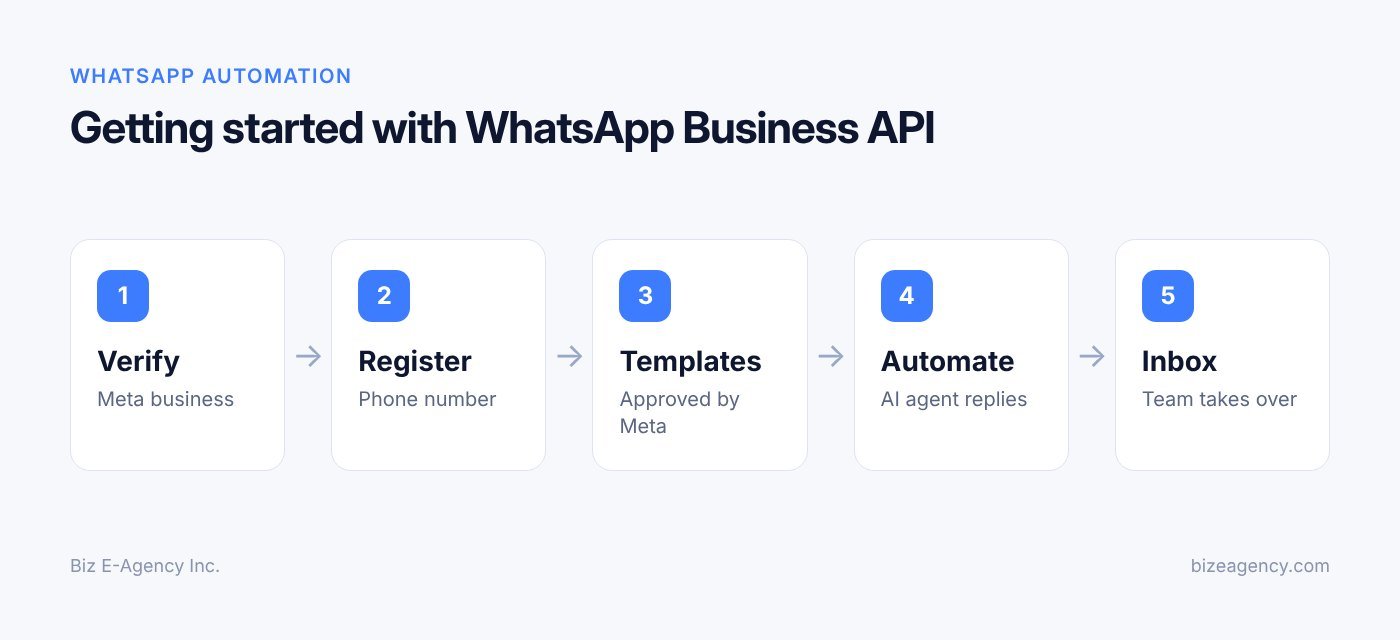
Short answer: Define your goal, prepare your documents, create your Meta Business account, get verified, register your number, connect your inbox, submit templates, add the AI agent, collect opt-in and then launch small. Setup has a clear order, and skipping ahead usually causes delays.
Follow these ten steps:
- Define the goal. Write down what the API must do in the first 90 days, for example answer FAQs, confirm orders and route sales leads. Keep the first version small.
- Prepare your business details. Gather your legal name, registration documents, website, address and a business email on your own domain. Check that they match each other.
- Create or access your Meta Business account. Set up a Meta Business portfolio with admin access held by a company owner or trusted manager, not only a contractor. This protects you if a vendor relationship ends.
- Submit business verification. Upload your documents and follow Meta's prompts. Expect some waiting time, and respond quickly if Meta asks for more information.
- Register the phone number. Choose your number, confirm it is free of an existing WhatsApp account, verify it by code and set the display name and profile.
- Connect your inbox and systems. Connect the API to your shared inbox, CRM or POS. Test that incoming messages arrive and that your system answers Meta's webhook notifications correctly.
- Build and submit templates. Create the few templates you need first, such as order confirmation, booking reminder and a polite follow-up, then wait for approval.
- Add the AI agent and handoff rules. Load your approved knowledge base, set boundaries and define when the AI hands over to people. Test with real questions from your team.
- Collect opt-in and launch. Add opt-in points to your website, checkout, forms and in-store signs. Start with a small group, watch quality and then widen.
- Review and improve. Check logs, response times, opt-outs and customer feedback weekly for the first month, then monthly. Update templates and answers as your business changes.
How long does setup take?
Timelines vary with verification and the complexity of your integrations. Our ready-made systems typically deploy in one to two weeks, and custom work takes longer depending on scope. Meta's review time is outside anyone's control, so build in a buffer.
What mistakes should I avoid?
- Using a number that is still active on another WhatsApp account
- Importing purchased or old contact lists
- Sending marketing messages under a utility template
- Letting the AI answer without a human fallback
- Giving one contractor sole admin control of your Meta account
- Ignoring opt-outs
- Sending too often and then blaming the platform
- Skipping testing before a launch
What should I check before I buy in 2027?
Short answer: Check who owns your Meta account, how Meta's fees are passed through, whether a human can take over any chat, and what happens to your data and number if you leave the provider.
Use this list when you compare providers or quotes:
- You, not the vendor, are the admin of your Meta Business account.
- Meta's per-message fees are shown separately from the provider's own fees.
- Pricing is confirmed in writing, with a plan for what happens if Meta changes its rates.
- Opt-in records are stored and can be exported.
- The inbox shows the customer service window timer.
- The AI agent has clear limits and an easy path to a person.
- You can export chats and contacts if you switch.
- The provider can name what happens during Meta review delays.
What will change in 2027 and 2028?
Short answer: Nobody outside Meta can say exactly, but expect the platform to keep changing its pricing, template rules and automation features. Plan for change instead of betting on one rate card.
We do not predict dates or numbers here. What we can say is based on how the platform has behaved so far, and it is a cautious view.
Will Meta's pricing change again?
Likely. The shift to per-message billing in 2025 shows that Meta revises its model from time to time. Watch for new rate cards by country, and for changes in which messages are free. Build your budget with some room, and review it each quarter.
Will AI agents become more common on WhatsApp?
Expect more businesses to use AI agents for first replies, and expect Meta to keep refining its rules on automated messaging. Watch for policy updates about bots, disclosure and how handover to a human should work. Designing your agent with an easy human exit now makes later rule changes less painful.
Will quality and consent checks get stricter?
Expect continued focus on quality ratings, opt-in records and customer complaints. Businesses that collect clear consent, send fewer and better messages and honor opt-outs are the best placed. That advice has held true in every version of the platform so far.
How should I prepare for 2027 and 2028?
- Keep your opt-in records clean and exportable.
- Keep templates simple and truthful, and review them every few months.
- Choose tools that let you change providers without losing your number or data.
- Read Meta's official pages before every major campaign, not once a year.
- Keep a human in the loop for anything sensitive.
Next steps
Biz E-Agency Inc. sets up the WhatsApp Business API on the official WhatsApp Business Platform with Meta business verification. We connect it to a shared inbox, add an AI agent where it makes sense and keep your team in control of every chat. Our process runs through four stages: Discover, Design, Build, Launch and grow.
Pricing is confirmed in writing before work starts, and payments are split into milestones. Every project includes handover, training and a support window, and monthly maintenance plans are available. You can read more about us, browse our services or see recent projects.
If you want your WhatsApp content and campaigns managed alongside your other channels, see our social media management options. You can also read our social media management guide for small business.
Start by writing down the three questions customers ask most often and the three messages you would like to send automatically. That list becomes your first AI agent scope and your first templates. Then check your business documents against the verification checklist above.
When you are ready, contact our team to talk through your setup. You can also email info@bizeagency.com or message us on WhatsApp at +1 321-318-8127. Ask us for a plan that fits your size, and remember that Meta's fees and rules can change, so we will always point you to the official pages for current details.
Frequently asked questions
Can I keep my current WhatsApp number when I move to the API?
Often yes, but only by following Meta's supported migration steps, and the number cannot run in the phone app and the API at the same time. Many businesses prefer a fresh number for the API and keep the old one for personal-style chats. Plan the switch on a quiet day.
How long does Meta verification take?
Meta does not promise a fixed time, so build a buffer into your plan. Delays usually come from mismatched names or addresses, so check your documents against what you entered before you submit. Reply quickly if Meta asks for more information.
Can customers message me first without any template?
Yes. When a customer messages you, a 24-hour customer service window opens and you can reply with normal free-form messages. Templates are only needed when you start the conversation or write after the window has closed.
Will my number get blocked if I send too many messages?
Sending too often to people who did not agree to hear from you is the main risk. If many customers block or report you, Meta can lower your limits or pause templates. Send fewer, relevant messages to opted-in contacts and honor every opt-out.
Do I need a developer to use the WhatsApp Business API?
Not always. Many businesses use a provider with a ready inbox, but connecting the API to your CRM, POS or an AI agent usually needs technical help. A provider or development team can handle the webhook and template work for you.
What should I prepare before talking to a provider in 2027?
Bring your legal business documents, your website and business email, a list of the messages you want to send, and the top three questions customers ask. Also ask how Meta's fees are passed through and who will own the Meta account.
Need help putting this into practice?
Tell us what is slowing your business down. We reply within one business day with a clear fix.