
Factory Management Software Guide 2027: Choose and Run One
Not sure if you need factory management software in 2027? Get plain answers on features, ERP vs focused tools, costs and a step-by-step rollout plan.
By Biz E-Agency Inc. TeamUpdated 19 min read
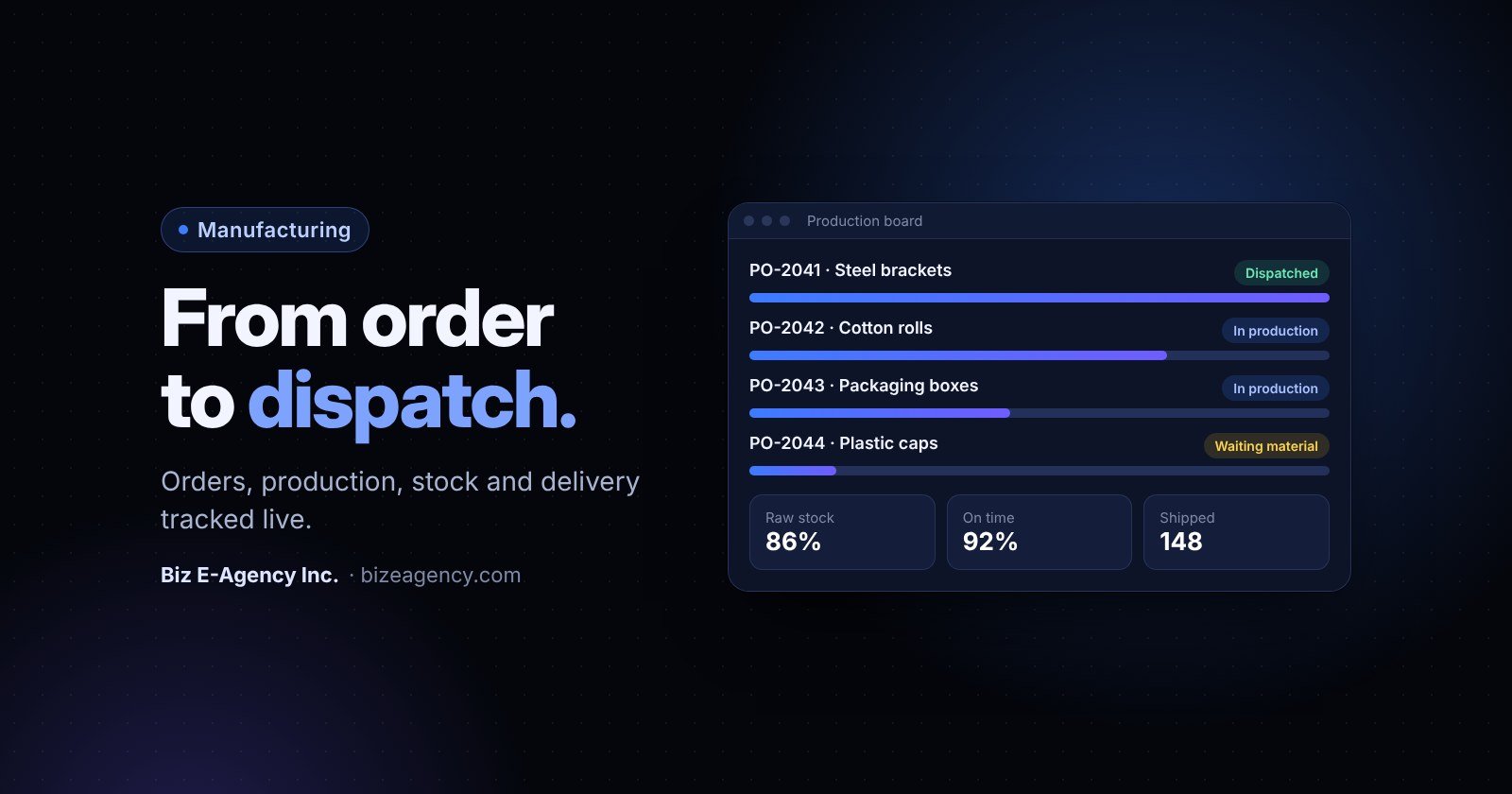
Quick answer: Factory management software is a business system that tracks every customer order from entry to dispatch, along with production, raw material stock and finished goods. A small or mid-size factory should consider it once spreadsheets and paper job cards cause late orders, stock mistakes or constant "where is my order?" calls. For 2027, choose a focused system that fits your real workflow, test it with your own data, and roll it out in stages.
You run a plant, and you probably know the feeling. Orders live in a notebook, stock lives in a spreadsheet, and the plant manager keeps the real schedule in his head. This guide answers the questions owners ask most about factory management software: what it does, what it costs, how to choose it and how to roll it out in 2027 without stopping production.
What is factory management software?
Short answer: It is one shared system for orders, production, stock, dispatch and reports, so sales, the plant, the store and dispatch all see the same facts.
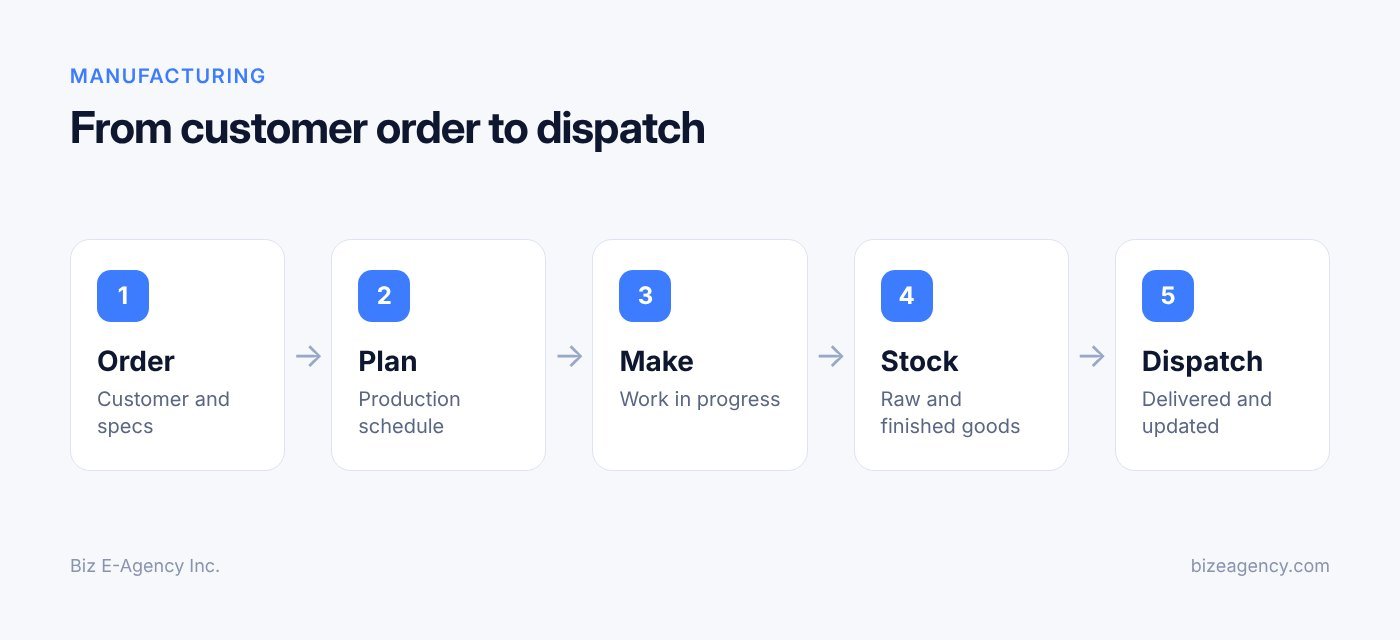
It tracks work from the moment a customer places an order until the goods leave your gate. It records who ordered what, what must be produced, which materials are needed, what is in stock and what has been dispatched.
The goal is not to add paperwork. The goal is to replace the many places where information lives today (a notebook at the sales desk, a whiteboard in the plant, a spreadsheet in accounts) with one record.
A typical system covers these areas:
- Customer and order records, including quantities, specifications and delivery dates.
- Production planning and work orders for each job.
- Raw material stock, purchase needs and finished goods stock.
- Dispatch, delivery notes and shipment tracking.
- Customer updates and order history.
- Reports for owners, plant managers and sales teams.
Think of it as the nervous system of your factory. Each department sees what the others have done, without calling or walking across the floor to ask.
Who benefits most from it?
Owners of workshops, assembly units, packaging lines, garment units, furniture makers, food producers and light engineering shops tend to feel the pain first. You have enough orders to lose track of, but not enough staff to dedicate someone to chasing status all day.
Plant managers gain a clear list of what to run next. Sales teams stop guessing delivery dates. Store keepers get a defined way to record what comes in and goes out. You, as the owner, see numbers without waiting for month-end.
Do I really need it, or can I stay on spreadsheets?
Short answer: You can stay on spreadsheets while volume is low. Switch when several people edit several files and nobody trusts any single one.
Spreadsheets are a sensible start. They are free, familiar and flexible. The trouble begins when your team grows and the files multiply.
What goes wrong first?
Most small factories hit the same problems in roughly the same order:
- Duplicate data entry. The same order is typed into a sales sheet, a production sheet and an invoice file. Every copy is a chance for a typo.
- No live stock view. Stock sheets are updated at the end of the day, or the week. By then the numbers are wrong, and someone orders material you already have, or runs out of material you thought you had.
- Version confusion. Two people open the same file, each saves a copy, and nobody knows which one is current.
- Hidden delays. A job stuck at one stage is invisible until a customer calls to complain.
- No history. When a customer disputes a quantity or a date, you search through chats and notebooks for proof.
- Slow reporting. Building a monthly report means collecting files from three people and merging them by hand.
None of this is caused by careless staff. It comes from using general-purpose tools for a process that needs links between records. An order should connect to a work order, which should connect to material use, finished stock and a dispatch note. A flat sheet cannot enforce those links.
How do I know it is time to switch?
Consider moving when two or more of the following are true:
- You regularly miss delivery dates because of poor visibility.
- You had stock-outs or over-ordering in the last quarter.
- More than three people need to update order or stock data.
- Customers frequently ask for status updates by phone or message.
- You spend more than a few hours each month assembling reports.
- You plan to add a shift, a line or a second location.
If you recognise your factory in that list, factory management software is likely to pay for itself in saved time and fewer mistakes. The exact return depends on your volumes and your discipline in using it.
What features should factory management software have?
Short answer: At minimum: order management, work orders, stock control, dispatch tracking, customer updates and reports. Advanced scheduling can wait.
Not every factory needs every feature. Here is what each core area should do in practice.
Customer and order management
Everything starts with the customer. The system should keep a profile with contacts, addresses, past orders and any agreed terms. Each order should record the items, quantities, specifications, price and promised delivery date.
Look for quick repeat orders, and for the ability to attach drawings, artwork or sample approvals to an order. This is where a factory CRM approach helps, because the same record serves sales and production. For a broader view of customer systems, see our guide to CRM software for small business.
Production planning and work orders
Once an order is confirmed, the plant needs a work order: what to make, how many, by when, and with which materials. A good system turns a confirmed order into a work order in a click, rather than asking someone to retype it.
Planning does not need to be complicated for a small factory. Useful basics include:
- A queue of open jobs sorted by due date or priority.
- Status stages such as planned, in progress, quality check and ready.
- Notes and instructions that travel with the job.
- Visibility into which jobs are late or at risk.
Advanced scheduling with finite capacity is rarely the first need. Clear status and a sensible queue solve most day-to-day problems.
Raw material and finished goods stock
Stock control is often where the first money is saved. Your system should record every receipt, issue and adjustment, so the balance is always current. It should show raw materials separately from finished goods, and ideally work-in-progress too.
Useful features include minimum stock levels with alerts, supplier details, batch or lot numbers where relevant, and a record of material consumed per job. When a work order starts, the required materials should be reserved or deducted so the store knows what is committed.
Be realistic about discipline. Software can only show what staff record. If the store keeper issues material without logging it, the numbers will be wrong again. Plan a simple, fast way to record movements at the store counter.
Dispatch and delivery tracking
Finished goods need to leave the building with the right paperwork. The system should create delivery notes linked to the order, record what was sent, and show what remains pending on partial shipments.
Dispatch is where customer trust is won or lost. Record the vehicle, driver or courier, date and any proof of delivery. When a customer asks where an order is, anyone in the office should be able to answer in seconds.
Customer updates
Customers want to know three things: is my order confirmed, is it in production, and when will it arrive. If staff must gather those answers manually, they will spend hours each week on status calls.
Good software keeps the status visible to your team, and can support sending updates by email or messaging. If you plan to send updates through WhatsApp, read our WhatsApp Business API guide to understand opt-in rules and template approval before you promise it to customers.
Reports and dashboards
Reports turn records into decisions. At a minimum, you should see:
- Orders received, in production, completed and dispatched.
- Late and overdue jobs.
- Stock levels and items below minimum.
- Sales by customer and by product.
- Material consumption against plan.
Exports to Excel or PDF are useful for accountants and banks. Role-based access matters too, so a clerk can enter data without seeing every margin figure.
Should I buy an ERP or focused factory software?
Short answer: If your main pain is orders, stock and dispatch, choose focused factory software. Choose a full ERP only if you truly need finance, payroll and multi-site planning in one system.
The ERP concept covers integrated software for finance, HR, manufacturing and supply chain. That breadth is its strength and its cost.
How do they compare?
| Factor | Full ERP | Focused factory management software |
|---|---|---|
| Scope | Finance, HR, procurement, manufacturing, sales and more | Orders, production, stock, dispatch, customers and reports |
| Setup time | Often months, with consultants | Often weeks |
| Learning curve | Steep, many modules and settings | Gentler, built around factory workflow |
| Cost profile | Higher licences, implementation and support | Lower entry cost, simpler licensing |
| Customization | Deep but expensive | Focused changes for your process |
| Best for | Larger plants with complex finance and multi-entity needs | Small and mid-size factories needing control quickly |
| Risk | Over-configuration, low adoption | May need integration for advanced accounting |
Which one fits your factory?
Choose focused software when accounting already runs in a separate package and you want results sooner. Staff also learn it faster.
Choose a full ERP when you need tight integration of payroll, multi-company finance, complex bills of materials and compliance across several sites. Be honest about whether you will really use those modules in the next two or three years.
Many growing factories start focused and add integrations later. That path avoids paying for modules that sit unused. If your needs fall between the two, a custom build may fit better, which we cover in our custom software development guide.
How do I choose factory management software in 2027?
Short answer: Test each option with a real order from your plant, score it against your top ten needs, and check data ownership, training and support before you buy.
Feature lists look similar on every vendor page. What separates a good fit from a poor one is how well the system matches your actual process.
What should I ask every vendor?
- Can you show my workflow, not just a generic demo? Give them a real order from your plant.
- How are orders, work orders, stock and dispatch linked in the system?
- Can I import my existing customers, items and opening stock?
- Is it cloud-based, local install, or both? What happens if the internet drops?
- Can we adjust fields, documents and reports to our terms and branding?
- Who trains our staff before go-live, and what support follows?
- Who owns the data, and can I export it at any time?
- How are user roles and permissions handled?
How do I score the options?
List your top ten needs in order of importance. Score each shortlisted system from 0 to 3 on every need. Multiply by weight and add up. This takes an hour and removes much of the sales pressure from the decision.
Then run a trial with real data. A free trial or demo with your own products and customers tells you far more than a brochure. Ask the people who will use it daily, such as the store keeper and the dispatch clerk, to try it and give honest feedback.
What red flags should I watch for?
- Vendors who will not let you try the system with your own data.
- Pricing that is unclear or changes after the demo.
- No plan for data migration or staff training.
- Locked-in data with no export option.
- A system built for a very different industry and forced onto yours.
What is Biz E-Agency Factory CRM & Management?
Short answer: It is a ready-made system from Biz E-Agency that connects customers, orders, production, stock and dispatch in one place, built for small and mid-size factories.
Factory CRM & Management is designed for owners who want structure without a long ERP project. Here is what you can expect from the product approach:
- It can be branded with your company name and logo, and customized to your process.
- You can run it in the cloud or install it locally, depending on your needs.
- Data migration from your existing sheets and staff training are handled before go-live.
- A free trial is available, and the team sets up a demo so you can see it with your own scenario.
Ready-made systems typically deploy in about one to two weeks, which is an estimate and depends on how much data you bring and how much you customize. If your process is unusual, the team can discuss custom changes or a fully custom build. You can see the wider range of products on our software page, and learn how we work on our about page.
When does a ready-made product fit?
It suits you if your workflow follows the common pattern: customer order, production, stock, dispatch. You get a working base immediately, then adjust details. That is faster and less risky than starting from a blank page.
If your plant has very specific rules, such as unusual quality checks or integration with machines, a custom build or extension may suit better. Talk to the team about scope before you decide.
Can it work with the rest of my business?
Factories also sell, quote and follow up. If your sales side needs a stronger pipeline, the Business CRM can complement a factory system. If you want automated replies, reminders or voice follow-ups, see our AI automation services for what is possible.
How do I implement factory management software step by step?
Short answer: Map your process, set goals, clean your data, configure the system, pilot it, train by role, go live on a fixed date and review after 30 and 90 days.
A rollout in a factory is an operations project, not an IT task. Here is a sequence that suits small and mid-size plants.
- Map your current process. Write down how an order moves today, from enquiry to payment. Include who touches it, which file or paper it lives on, and where delays happen. A one-page flow with names is enough. This map becomes your requirement list, and it often reveals steps you can simply remove.
- Define goals and a few metrics. Pick three to five outcomes, such as fewer late orders, accurate stock counts or a same-day answer to any status question. Write down today's baseline so you can compare later.
- Clean your data before moving it. Remove duplicate customers, standardize item names and units, count physical stock, close old orders and decide which history is worth importing. A weekend spent on a stock count saves months of confusion.
- Configure the system to your workflow. Set up products, materials, order stages, document templates and user roles. Keep the first version simple, and use the names your staff already use. If the shop floor says "cutting", do not rename it "operation 10".
- Pilot with a small group. Run one product line or one shift for a couple of weeks, with the sales and store staff who support it. Keep the old process in parallel briefly, collect problems daily and fix them fast.
- Train every user by role. The store keeper needs receiving and issuing. The planner needs work orders. Sales needs order entry and status. You need reports. Use real examples from your plant.
- Go live and retire the old files. Pick a clean cut-over date, ideally at the start of a week or month. Make old spreadsheets read-only. If you keep both alive, people drift back to the familiar one.
- Review and improve. Hold a review after 30 days and again after 90. Compare against your baseline, adjust fields, reports and permissions, and add integrations only when the basics are stable.
How do I move my spreadsheet data without losing anything?
Short answer: Back up everything, import a small sample first, then import the full set and reconcile totals before you go live.
Migration worries many owners more than the software itself. The fear is reasonable, but the process is manageable in stages.
What should I migrate and what can I leave behind?
Not everything deserves a place in the new system. Prioritize:
- Active customers and contacts. Needed immediately.
- Item and material lists. Needed for orders and stock.
- Opening stock balances. Needed for accurate control from day one.
- Open orders and pending dispatches. Needed to keep promises already made.
- Supplier details. Useful for purchasing.
Older completed orders can often stay in an archive file. Importing years of history adds effort and risk with limited benefit, unless you need it for trend reports.
What is a safe migration routine?
- Back up every source file and keep a read-only copy.
- Prepare import sheets in the format the system expects.
- Import a small sample first and check the results by hand.
- Import the full set, then reconcile totals: customer counts, item counts, stock value.
- Have the store and sales teams verify their own areas before go-live.
Reconciliation is the key habit. If the stock value in the old file and the new system differ, find out why before you start trading on the new numbers.
How do I measure results after go-live?
Short answer: Track a handful of indicators against the baseline you set, such as on-time delivery, cycle time and stock accuracy, and review them weekly.
If you cannot measure improvement, you cannot defend the investment or decide what to fix next. Choose indicators that match the goals you set earlier.
| Metric | What it tells you | How to track it |
|---|---|---|
| On-time delivery rate | Whether promises are kept | Dispatched orders on or before the promised date |
| Order cycle time | Speed from order to dispatch | Days between order date and dispatch date |
| Stock accuracy | Trust in your counts | Physical count versus system balance |
| Stock-outs | Planning quality | Number of times production waited for material |
| Reporting time | Admin effort saved | Hours spent preparing the monthly report |
| Status enquiries | Customer visibility | Count of "where is my order" calls per week |
Be careful with targets. Pick realistic improvements and measure over a few months, because early weeks include learning time. The point is steady progress, not a perfect score.
How do I use reports in weekly meetings?
Run a short weekly meeting around the system's own reports. Review late jobs, low stock and pending dispatches. Assign an owner to each problem. Over time the meeting gets shorter because fewer surprises appear.
For quality systems, a clear record trail also supports audits. If you work towards ISO 9001 quality management, consistent records of orders, materials and dispatch make evidence easier to gather. Software does not make you compliant by itself, but it helps you show what happened and when.
What mistakes should I avoid?
Short answer: The biggest ones are skipping the stock count, having no internal owner, over-customizing at the start and running two systems for too long.
Most failed rollouts share a few causes. Knowing them in advance is cheap insurance.
- Buying for the future you imagine. Choose for the next two years, not the next ten. Systems can grow.
- Skipping the stock count. Without a reliable opening balance, the new system starts out wrong.
- No owner inside the company. Someone must make decisions and chase users. Without one, the project drifts.
- Over-customizing at the start. Each custom rule adds cost and delay. Launch with the standard flow, then refine.
- Ignoring the shop floor. If operators find it slower than paper, they will avoid it. Keep data entry quick, with few clicks.
- Running two systems forever. Set a firm cut-over date.
- Neglecting access control. Give users only what they need, and protect pricing and margin data.
- Forgetting backups. Confirm how data is backed up, where it is stored and how you would restore it.
How do I get my team on board?
People resist tools that feel like surveillance. Explain the purpose: fewer repeated questions, fewer errors, less paperwork. Involve a respected supervisor early, and let that person help shape the setup. Adoption follows trust.
How much does factory management software cost?
Short answer: It depends on users, hosting, customization and support, so ask for a written quote that lists exactly what is included.
Prices vary widely by vendor, so any figure quoted in a blog post is a guess. These cost factors matter most:
- Number of users and locations.
- Cloud or local hosting, and who maintains the server.
- How much customization your process needs.
- Data migration and staff training.
- Ongoing support or maintenance plans.
With Biz E-Agency, pricing is confirmed in writing before work starts, and payments are split into milestones. Every project includes handover, training and a support window, and monthly maintenance plans are available. Where a custom build is needed, you own the code and designs once paid in full.
How long does it take?
These timelines are estimates and depend on scope and how quickly your team supplies data:
- Ready-made system: about 1 to 2 weeks to deploy.
- Custom software or extensions: about 6 to 12 weeks, depending on scope.
- Data cleanup and stock count: depends on your factory, so plan it before the technical work starts.
Should I choose cloud or local install?
Cloud-based systems need little hardware, work from several locations and are easier to update. They depend on a reliable internet connection. Local installs keep data on your own server and can keep working when the internet drops, but you must manage hardware and backups.
Pick based on your connectivity, your site layout and who will look after the server. Some factories choose cloud for the office and a local setup for the plant. Discuss the options openly with the vendor.
What will change in 2027 and 2028?
Short answer: Expect more owners to ask for simple mobile access, easier integrations and smarter automation, but the basics of clean orders and accurate stock will still decide success.
Nobody can predict exact changes, so treat this section as cautious guidance on what to watch for. Your priorities should not change much, even if the tools do.
- Mobile-first use is likely to grow. Plant managers and store keepers increasingly want to check status and record movements from a phone. When you evaluate software in 2027, test the mobile experience, not only the desktop screen.
- Messaging may become the default for customer updates. Many customers already prefer chat to email. Watch for tighter links between your order status and messaging tools, and respect opt-in rules and each platform's changing fees.
- Automation will probably take over routine follow-ups. Reminders for late jobs, low stock alerts and payment nudges are good candidates. See our AI automation page for what can be set up today.
- Integrations are likely to matter more than single big systems. Expect owners to connect a focused factory system with accounting, couriers and sales tools instead of buying one giant package.
- Data questions will stay important. Watch for rules on privacy and records in your country, and ask vendors how they handle exports, backups and access control.
The practical advice for 2027 and 2028 is simple. Pick a system that can export your data, connect to other tools and grow in stages. Avoid buying features only because they sound new.
Where can I get extra help?
Short answer: Start with advisors for small manufacturers, such as the NIST Manufacturing Extension Partnership in the United States, and combine that advice with your own process map.
Small manufacturers do not have to plan a project alone. In the United States, the NIST Manufacturing Extension Partnership connects small and medium-sized manufacturers with advisors across the country. Similar support programs exist in other countries through trade bodies and industry associations.
Advisors can help you think about improvement, and software helps you hold the gains once you have them.
You can also review examples of our delivery work on the projects page, or browse our wider services if you need a website, mobile app or integration alongside your factory system.
Next steps
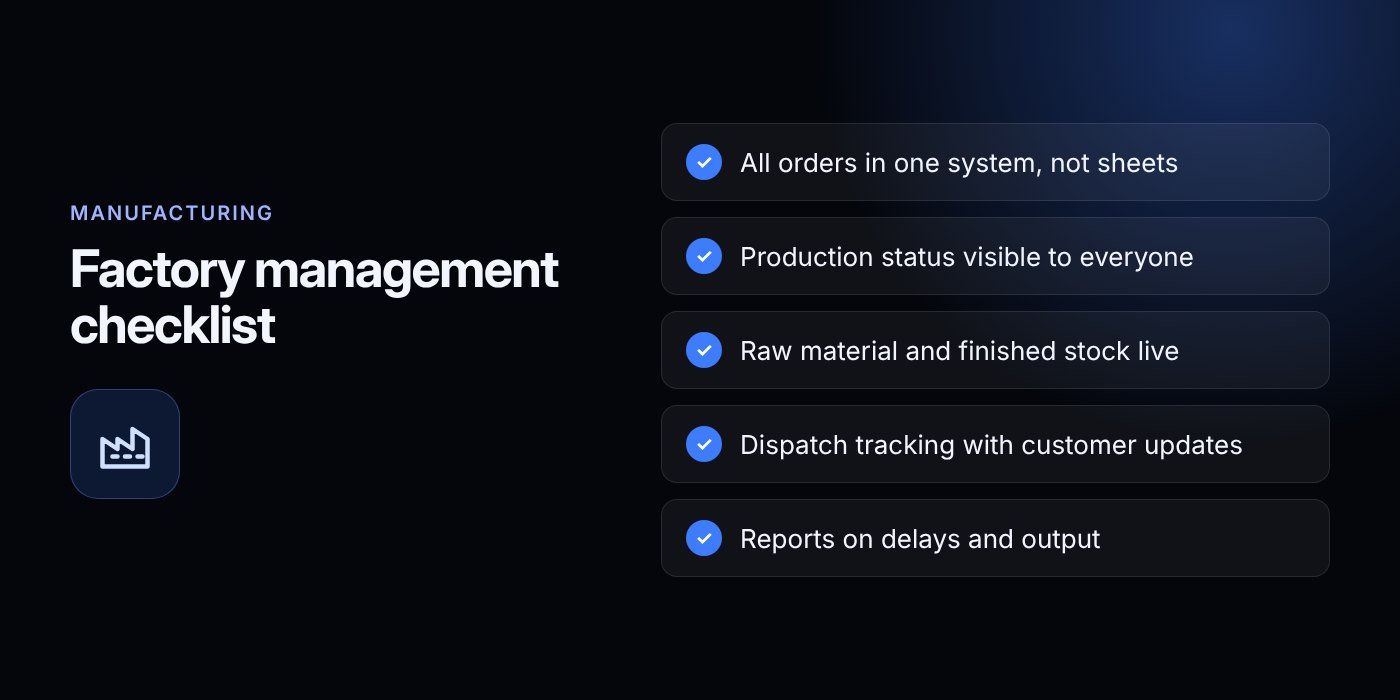
Start small and practical. Write down how an order flows through your factory today, count your stock, and list the three problems that cost you the most time or money. That one-page summary is the best brief you can give any vendor.
Then see the system working. Visit the Factory CRM & Management page, request a free trial, and ask the team to set up a demo around your own products, customers and dispatch routine. If you want to talk through requirements first, contact us by email at info@bizeagency.com, on WhatsApp at +1 321-318-8127 or by phone at +1 650-502-9475. We support English, Urdu and Hindi.
The right factory management software will not fix a broken process by itself. It will make a good process visible, repeatable and easier to improve, and that is where the real value lies.
Frequently asked questions
Can a small workshop with five staff benefit from this kind of system?
Yes, if orders and stock already cause confusion. A small team still loses time on duplicate entry and status calls. Start with orders, stock and dispatch only, and add more later.
Will my staff find it hard to learn?
Not if training is short and based on each person's job. The store keeper learns receiving and issuing, the planner learns work orders. Using your own product names and real examples makes it much easier.
What happens to my data if I stop using the system?
You should be able to export it. Ask every vendor in writing about export formats and data ownership before you buy. For custom builds from Biz E-Agency, you own the code and designs once paid in full.
Does it work if my internet connection is unreliable?
A local install keeps running on your own server when the internet drops, while a cloud system needs a connection. Biz E-Agency offers both options, so you can pick based on your site.
How is the price decided?
Cost depends on the number of users, hosting choice, customization, data migration and support. Biz E-Agency confirms pricing in writing before work starts and splits payments into milestones.
Can I try it with my own products before I commit?
Yes. A free trial is available for Biz E-Agency Factory CRM & Management, and the team sets up a demo with your own products and customers. Ask through the contact page or at info@bizeagency.com.
Need help putting this into practice?
Tell us what is slowing your business down. We reply within one business day with a clear fix.